I haven’t used Ubuntu for a long time, nevertheless I built Panda3D from the source code. But I was surprised to find that the panda3d folder was empty - no core.co and so on, how do I get them in the local build?
Hmm, that’s odd. I built Panda myself under Ubuntu just recently (although I’ve been fighting with it since then), and checking my old “built” directory in the Rubbish Bin I see that my “panda3d” directory is non-empty.
What options are you using for your build, and what output are you seeing? Are there any errors?
I am using this command, trying to create a minimal version of panda, in order to release an addon for blender.
python3.11 makepanda/makepanda.py --nothing --use-python --use-bullet
I didn’t see any mistakes.(the build was completed) I suspect you used the create wheel flag, I did not check this option, I do not need an installer.
I think this is because I did not install the necessary python-dev dependency. I only installed this python-dev-is-python3 Maybe I got confused at this point…
It didn’t work, maybe I need to specify the graphics library after all…
After all, the problem was the installation of dependencies incorrectly. If I’m not mistaken, these are header and library files specific to a particular version of Python.
For my version, it will look like this:
sudo apt-get install python3.11-dev
What is the output from makepanda? It will probably have warned you about missing libraries…
That’s right, I found a similar post.
However, the build is not working, as it requires the creation of an installer, which is very different from Windows.
At the moment, when I am in the panda3d directory, I cannot import any class.
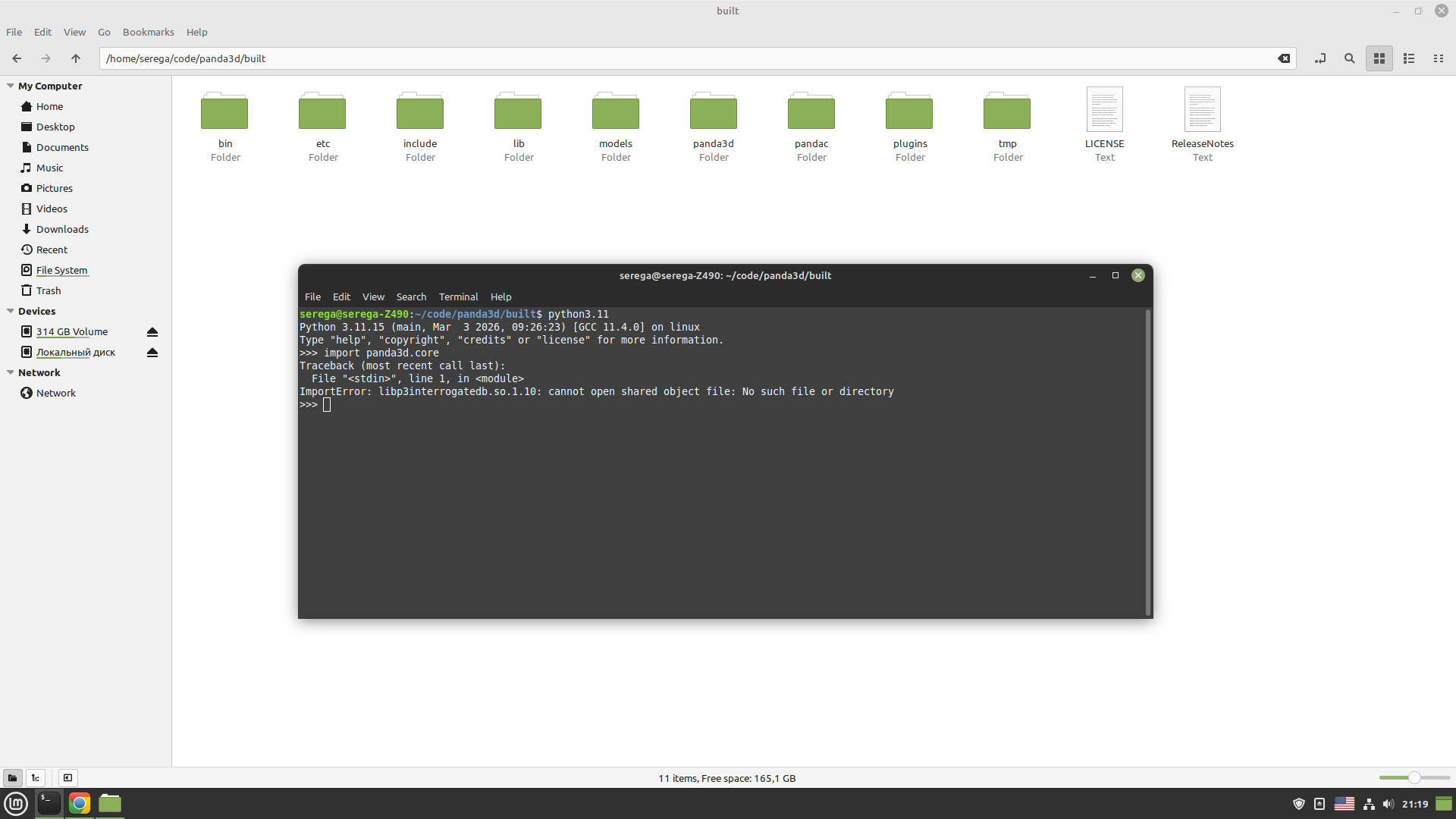
In Windows, it works immediately, because in the file __init__.py the paths for searching binary libraries are specified.
You need to point PYTHONPATH at the built directory and LD_LIBRARY_PATH at the built/lib directory if you want to run it directly. You can also use --wheel and install it with pip or --installer and build a .deb.
1 Like
This is the problem, that creating a wheel and installing it is an unnecessary procedure. I need relative import from the blender addon, windows it works perfectly. In this case, I will check your advice, thank you for pointing the way.
Returning to this issue, is it possible to specify the Thirdparty folder when building on Linux, similar to Windows? I installed Docker and manylinux, but there’s no repository for Python3.13-dev. Python3-dev brings me back to the original problem.
manylinux ships with several builds of Python, but there’s an extra step you need to get the static Python libraries you need for a Panda build. See line 34 here:
You need to run Python from /opt/… and not the main Python version installed on the system.
1 Like