Show Us Your Progress!

yah, i did tried to make a video to showcase it. but the size was too big, and compressing it and turning it into a .GIF for posting made the video absolutely crappy.

I might just push the code to github, with a few screenshots and let the people choose what they wanna do with it.

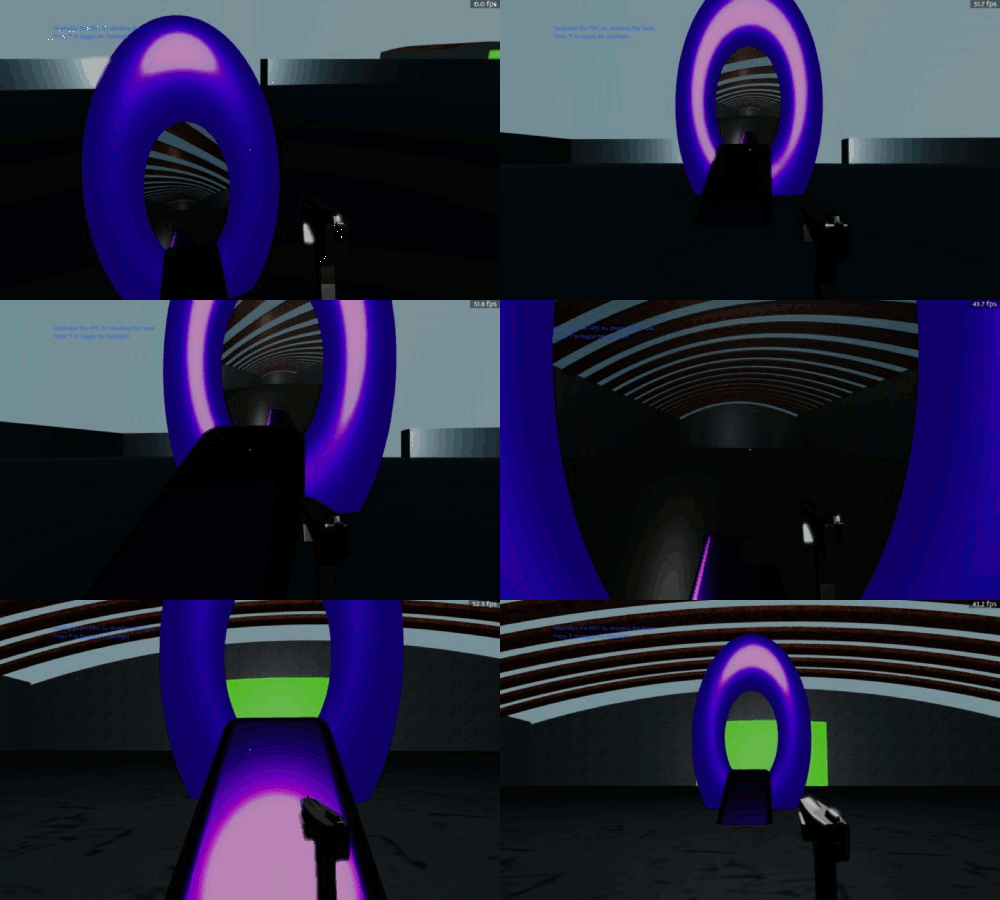
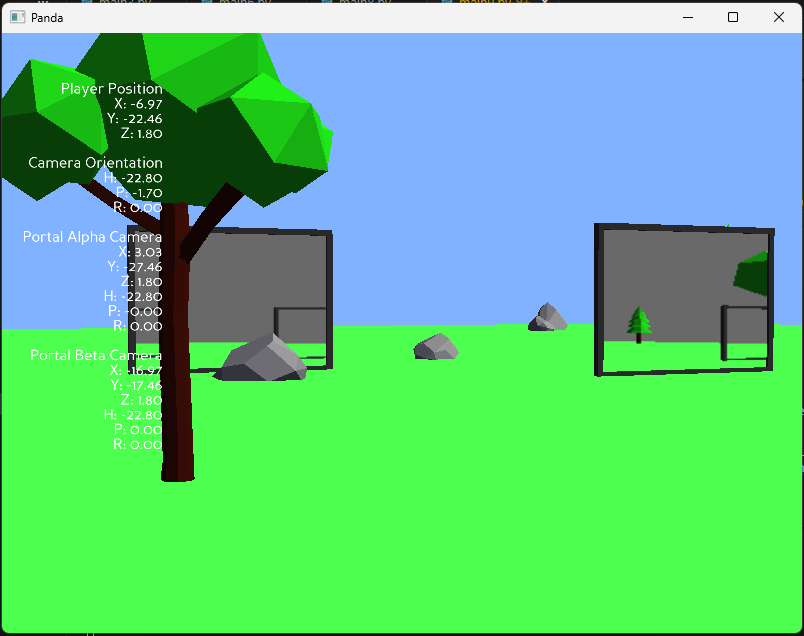
in the meantime, here’s a few more screenshots after i worked a little bit on the environement.

( I definatly need to fix the UV and the camera near plane issue ! )

3 Likes

I’d suggest either converting it to .mp4 and uploading it to social media, or converting it to .webm and then uploading it to YouTube. You should be able to then link or embed it here!

The screenshot above is a nice demonstration, however! :slight_smile:

You can also upload your video in github and get the url of your video then write in html your discussion

1 Like

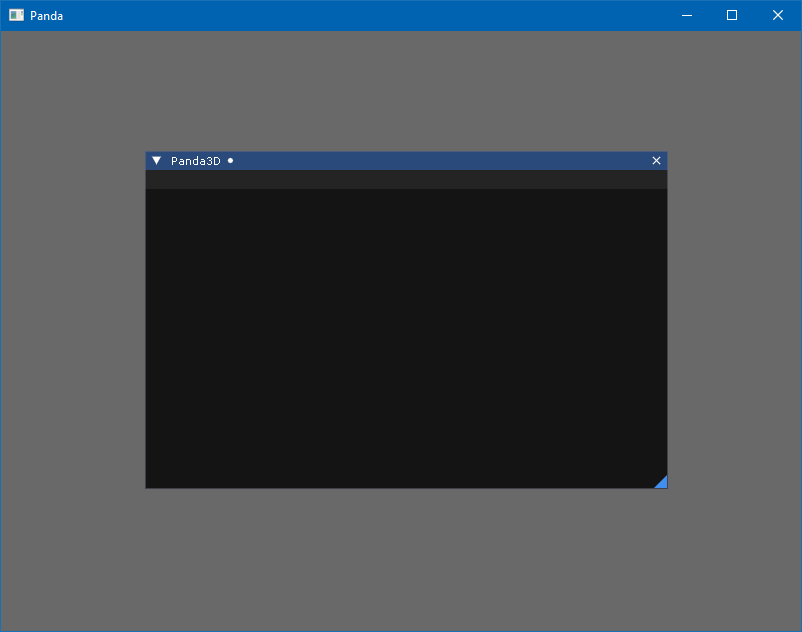
After experimenting with integrating Dear ImGui into Panda3D in C++, I remembered the possibility of using Interrogate. Thanks to @rdb, I managed to achieve these results.

This is achieved using this python code.

from direct.showbase.ShowBase import ShowBase
from panda3d.imgui import PImGui, PImGuiCond, PImGuiWindowFlags
from panda3d.core import LPoint2f

class DemoImGui(ShowBase):
    def __init__(self):
        ShowBase.__init__(self)

        PImGui.init(base.cam2d.node().get_display_region(0), self.instruction)

        self.window_show_exit = [True]

    def instruction(self, index, control):
        if self.window_show_exit[0]:
            PImGui.window_pos("Panda3D", LPoint2f(50, 50), PImGuiCond.once.value)
            PImGui.begin("Panda3D", self.window_show_exit, PImGuiWindowFlags.menu_bar.value | PImGuiWindowFlags.unsaved_document.value)
            PImGui.end()

app = DemoImGui()
app.run()

There are annoying factors:

self.window_show_exit = [True]

Since it is not possible to change a variable in place, you have to use dynamic ones.

PImGuiWindowFlags.menu_bar.value

At the moment, why is it impossible to get data from enum immediately without accessing a member named value…

This example does not work, without a patch. On the C++ side, this is implemented in such a way that when the mouse is over the Dear ImGui elements, the ignore button input flag for Panda3D is set.

void PImGui::change_control(bool flag){ 
    NodePath top_node_paths = display_region->get_camera().get_top();
    NodePathCollection children = top_node_paths.get_children();
    for (int i = 0; i < children.get_num_paths(); ++i) {
        NodePath node_path = children.get_path(i);
        PT(PandaNode) node = node_path.node();
        if (node->get_type().get_name() == "PGTop"){
            PT(PGTop) pg_top = DCAST(PGTop, node);
            PT(MouseWatcher) mouse_watcher = pg_top->get_mouse_watcher();
            PT(MouseAndKeyboard) mouse_keyboard = DCAST(MouseAndKeyboard, mouse_watcher->get_parent(0));
            mouse_keyboard->ignore_input = flag;
        } 
    }
}

However, there is a problem, the backend does not always have time to switch the flag back so that Panda3D can process button input again. This often happens when the window is closed via the X icon, as shown in the screenshot.
2 Likes

Nice work! I’d definitely be interested to see your portal mechanic in action.

About 4 years ago, I slapped together a portal myself while we were in the early stages of building a Panda3D tech demo. Here’s a gif:

portals_again

If I were to do it again, I’d do it differently, to get the geometry a bit more believable.

3 Likes

ohh yah, i have seen this one. it was what gave me the idea that making a portal in Pand3D was indeed possible. would you mind sharing your experience of how you made that portal of ours, 4 years ago ? so that i can compare it with my own and see how differently had you handled things.

I did a brief code review of this mechanic here, titled “Portals the Lazy Way”: Collaborative Sci-Fantasy Tech Demo for an Official Panda3D Showcase - #114 by Simulan

1 Like

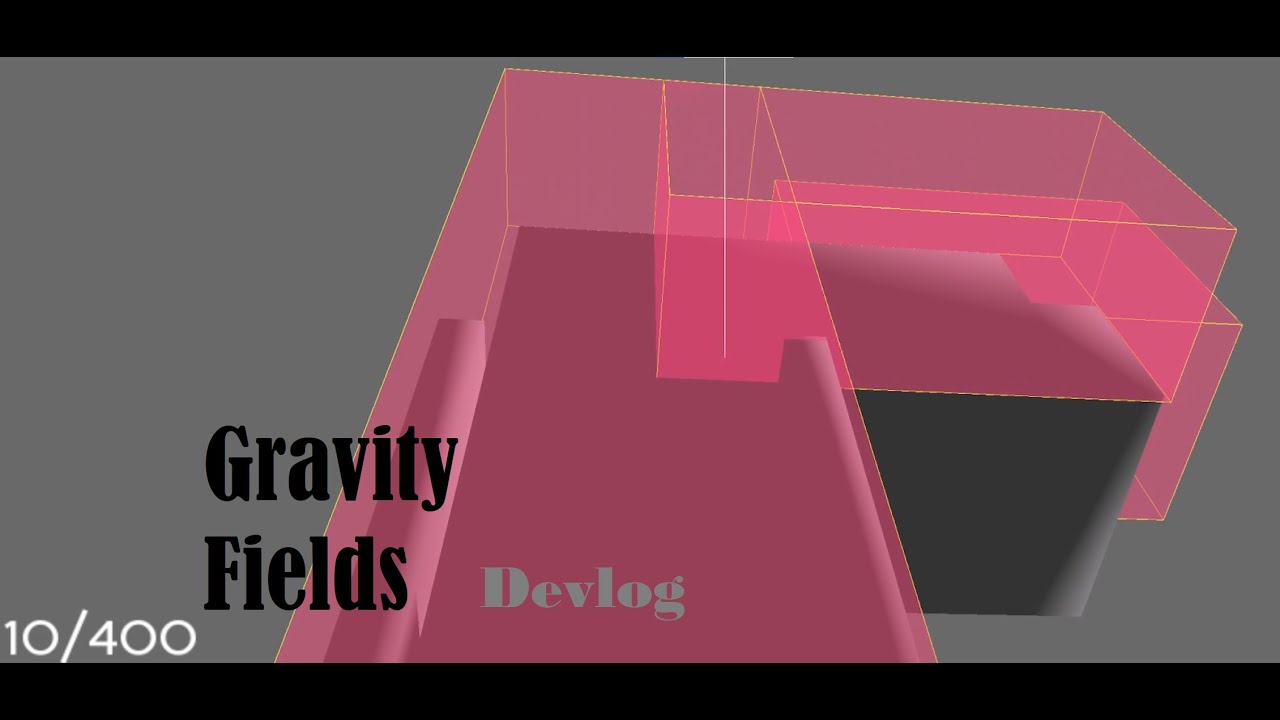
I made a video about the gravity fields I’ve been working on! They’re part of a larger project,but there’s not enough ready yet for that to get it’s own thread.

2 Likes

mirror_buffer = self.win.make_texture_buffer(“mirror_buff”, 4096, 4096)

is your model screen also a square ? Does having a square buffere object not cause any issues ? Or may be i should be asking : Does having a non-square buffere object not cause any issues ? ( because it does for me ! Panda3D adds padding to the sides to make it look square again )

self.mirror_cam.node().get_lens().set_fov(90)

Does having a fixed fov not cause any issues ? like the scene not rendering correctly ? ( for the portal camera ) OR do you calculate and readjust the FOV somewhere else in you script that you hadn’t shown ?

Like in my code, i do something like : self.portal_camera_node.node().setLens(base.camLens.makeCopy())
This sets the portal camera’s FOV to be the same as base aka the player camera. Having it set to something else could cause different kinds of visual bugs, such as the camera rendering more than what it should be able to see, rendering the portal frames which it shouldn’t, etc etc…

Also, since you hadn’t shown your portal camera calculation, i will just like to talk a little about mine.

def transform_node_through_portal_space(source_node_path, source_portal_node, destination_portal_node):
    relative_transform_to_source_portal = source_node_path.getTransform(source_portal_node)
    destination_world_transform = destination_portal_node.getTransform(render).compose(relative_transform_to_source_portal)
    return destination_world_transform

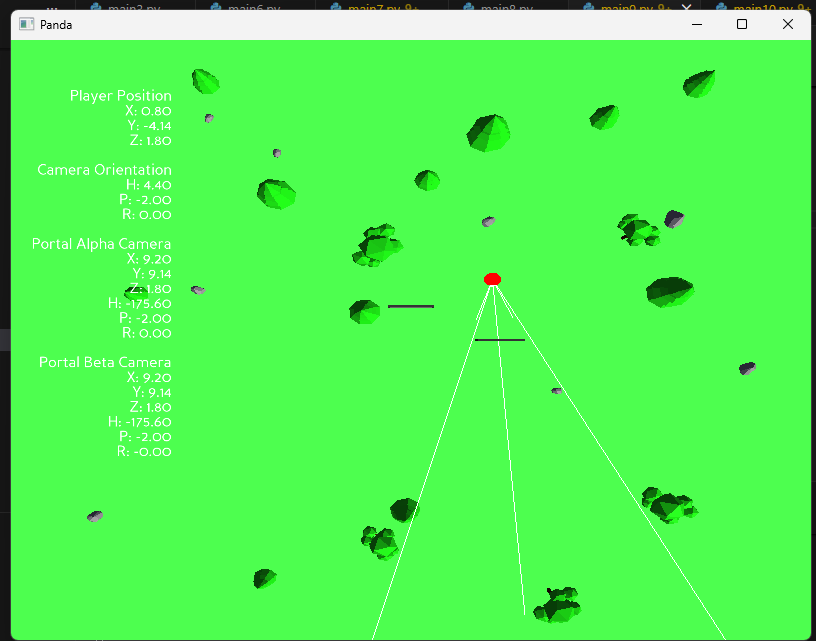
so this code is what i use to calculate my portal’s camera positions and rotations. Earlier, it was more complex than this but after getting alot of help from the community, i was able to srink it all down to just the 2 lines. and as it also turns out, you only really need a single camera to do the rendering for both the portals if they are in the same scene ( OR atleast that’s my theory ). it’s what i found out after doing a bit a testing using some camera markers to mark the locations of both the cameras in the world-space.

Though i haven’t gone around to actually test this theory yet, but here’s a bit of a visual proof :

wow, cool stuff mann :laughing: , so how are you calculating that spherical gravity ? using normals ? if yes, then are they of the model or do you calculate it for the model ?
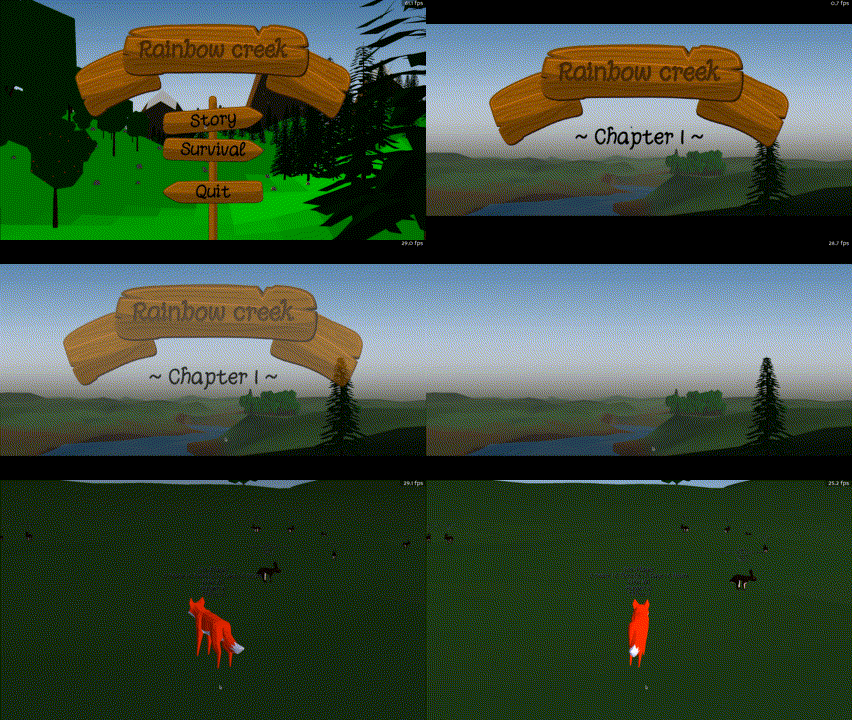
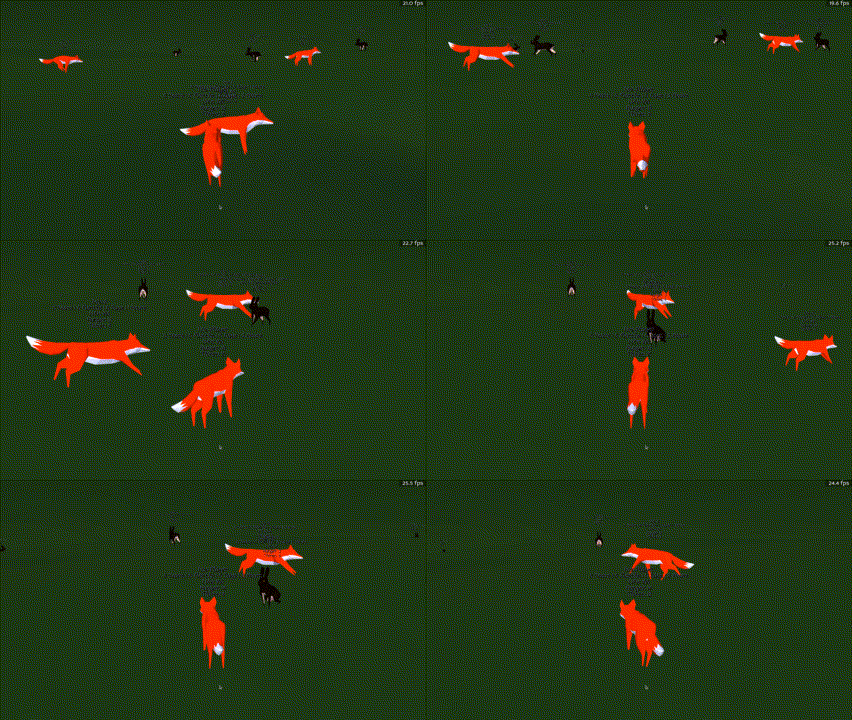
That’s looking really cool so far! And I like that you have multiple types of gravity field available to play with! :slight_smile:

(Also, thank you for the credit! ^_^)

I do make a couple adjustments to the mirror cam FOV, as shown below.

      p_dist = (self.player.get_pos() - self.mirror_model.get_pos(base.render)).length()
            target_fov = 115

            if p_dist < 2.25:
                target_fov = 145
                self.player.set_pos(400, 400, 3)
                # adjust the ground plane
                self.ground_plane.set_pos(0, 0, 0)
                # move the normal point lights
                lights = self.render.find_all_matches('**/plight*')
                for l in lights:
                    l.set_pos(400, 400, 21)
            
            player_h = self.player.get_h()
            self.mirror_cam.set_h(player_h)
            self.mirror_cam.node().get_lens().set_fov(target_fov)

            return Task.cont
            
        self.task_mgr.add(update_portal_cam)

…and as I mentioned later in that same thread:

There’s loads of visual optimization to do there; I wouldn’t say the portal mechanic is done yet. I’d want to add a much smoother inverse increment system for one, for the FOV control. And the portal at it’s current size could use a ramp to make it a little less awkward.

With regards to your other comments, like the render to texture being square, this kind of stuff is fun to experiment with until the result is what you’re looking for. Lots of variables, and indeed rendering approaches, to play around with for different situations.

1 Like

Hmm… That’s odd: a texture applied to a surface should be distorted to match that surface. So a square texture on a rectangular quad should end up stretched on the longer axis of the quad.

Is that not what you’re seeing? If it isn’t, then perhaps there’s something odd in your setup that may be causing an issue?

(Avoiding the stretching should be just a matter of applying appropriate texture -scales and -offsets to the surface onto which the texture is placed, if I’m not much mistaken.)

I get the position of the player relative to the origin of the spherical gravity field, and then normalize that before using NodePath.get_relative_vector() to get the up vector in the space of the player’s parent.

def _get_grav_up_vector(self, player):
    return player.np.get_parent().get_relative_vector(self.np, Vec3(player.np.get_pos(self.np))).normalized()

In the above code, self is the sphericalGravityField.

1 Like
  1. Squiggle 1/10/26, 3:40 PM

Also separate potential issue can you show what this prints?

tex = portal_texture_buffer.getTexture()
print("x,y:", tex.getXSize(), tex.getYSize(), " pad:", tex.getPadXSize(), tex.getPadYSize())
  1. 512x512 is a power of 2 and so no padding would be added.

  2. If Panda3D is padding to a power of 2 than that could be an issue.

  3. Thanos Chacha 1/10/26, 3:43 PM

PS D:\portal> & C:\Users\Shivam\AppData\Local\Programs\Python\Python313\python.exe d:/portal/main9.py
Known pipe types:
  wglGraphicsPipe
(all display modules loaded.)
ModelRoot Scene T:(scale 0.3)
  PandaNode Frame T:m(hpr 0 90 0)
    GeomNode Cube.002 (1 geoms: S:(MaterialAttrib))
    PandaNode Screen T:m(scale 1 1 0.0285488)
      GeomNode Cube.006 (1 geoms: S:(MaterialAttrib))
x,y: 512 512  pad: 0 0
ModelRoot Scene T:(scale 0.3)
  PandaNode Frame T:m(hpr 0 90 0)
    GeomNode Cube.002 (1 geoms: S:(MaterialAttrib))
    PandaNode Screen T:m(scale 1 1 0.0285488)
      GeomNode Cube.006 (1 geoms: S:(MaterialAttrib))
x,y: 512 512  pad: 0 0
PS D:\portal> 
  1. Squiggle 1/10/26, 3:43 PM

What about with a non-square buffer set to window size?

  1. Thanos Chacha 1/10/26, 3:46 PM

PS D:\portal> & C:\Users\Shivam\AppData\Local\Programs\Python\Python313\python.exe d:/portal/main9.py
Known pipe types:
  wglGraphicsPipe
(all display modules loaded.)
ModelRoot Scene T:(scale 0.3)
  PandaNode Frame T:m(hpr 0 90 0)
    GeomNode Cube.002 (1 geoms: S:(MaterialAttrib))
    PandaNode Screen T:m(scale 1 1 0.0285488)
      GeomNode Cube.006 (1 geoms: S:(MaterialAttrib))
x,y: 1024 1024  pad: 224 424
ModelRoot Scene T:(scale 0.3)
  PandaNode Frame T:m(hpr 0 90 0)
    GeomNode Cube.002 (1 geoms: S:(MaterialAttrib))
    PandaNode Screen T:m(scale 1 1 0.0285488)
      GeomNode Cube.006 (1 geoms: S:(MaterialAttrib))
x,y: 1024 1024  pad: 224 424
PS D:\portal> 

Ah, I see!

… It might be simpler to just use a power-of-two buffer?

But if not, then if you’re using a custom shader, you might want the “texpad_x” shader-input (see the “List of Possible Cg Shader Inputs”–even if you’re using GLSL), or, if you’re not using a custom shader, perhaps just an appropriate texture -scale and/or -offset.

1 Like