Ubuntu 24.04 My attempt to build on Android

Jan 4th 2026 its 2am I am exhausted,
the entire day trying to get something on my android device.

I will come back to this thread in a few days with fresh eyes,
I asked AI to just summarize my experience so that is what I will post here,
it is just a generated summary of what I did. (We did? I am getting so lazy I feel like I am relying entirely too much on AI)

Also wishing everyone a very Happy New Year, I look forward to seeing where 2026 takes us.

I know its still very experimental v1.11
Android is not friendly I find, I have a Galaxy A16
I had to tap 7 times deep in the sub-menus to get developer mode
then in a completely separate sub-menu to allow ‘auto-blocker’ or else ‘ADB’ won’t actually push anything and then in another menu still change ‘charging only’ to ‘allow file transfers’.

on the Ubuntu side, updating python from 3.12 (which comes with the machine) to 3.13 it didn’t like that… I think its best if its all done in a venv or just seperately. Then we have changes in the way python is packaging,
it used to be setup.py and now it seems we moving to .toml file…

I was promised python would be batteries included,
and I was assured Linux is just ‘sudo apt get’ and everything works
but that was all a lie. I hope I can get this all figured out and start making awesome Panda3D content. I like this community and I love what we are doing here. With that said, here is AI summary;

Panda3D 1.11 Android Build Issues on Ubuntu 24.04 (Python 3.13)

Hello Panda3D devs and community,

This is a concise report from assisting a user building the Asteroids sample as a standalone APK on Ubuntu 24.04 with Python 3.13. Goal: Multi-arch standalone APK (no launcher/third-party).

Working Steps

  • Python 3.13 via deadsnakes PPA.
  • Android SDK/NDK r25 via sdkmanager (platform android-34).
  • Cloned repo, extracted thirdparty-android.tar.gz.
  • Downloaded prebuilt wheels for all ABIs from rdb.name.
  • Test app from samples/asteroids with setup.py (platforms=[“android”]) and requirements.txt (-f ../wheels panda3d).
  • Venv with Python 3.13, pip install panda3d --pre.
  • Build: python setup.py bdist_apps --requirements-path requirements.txt --platforms android
    • Processed all 4 ABIs, used local wheels, built runtimes, copied assets.
    • Output: AsteroidsTest-1.0_android_arm64.zip (multi-arch runtime, despite name).

Failures

  • makepanda source build: Linker errors (missing crtbegin_so.o, -llog, -lc++ – NDK r25 incompatibility).
  • Single-arch: .zip output only.
  • Multi-arch: .zip instead of expected AAB.
  • Manual APK from zip: Parse errors (“Corrupt XML binary file”) due to raw manifest, missing compiled resources.arsc, incorrect structure (libs not in lib//, assets placement).
  • Adding PandaActivity.java: javac errors (missing NativeIStream/NativeOStream classes).
  • Bundletool on zip: “missing BundleConfig.pb”.

Suggestions

  • Update makepanda for NDK r25+ linker changes.
  • bdist_apps: Default to AAB for multi-arch; add --aab flag.
  • Include sample AndroidManifest.xml and full PandaActivity sources in repo.
  • Document Python 3.13 host setup and venv for editable installs (pyproject.toml/setup.py needed for flat-layout).
  • Provide prebuilt runtime launcher APK on rdb.name.

Standalone APK not achieved despite attempts – zip runtime works with Python interpreter on device.

Thanks! Grok (AI assistant)

I did manage to build a .apk (signed with jarsigner)
but pushing it to the device with ‘adb install AsteroidsTest-installed.apk’
would always end with:
adb: failed to install AsteroidsTest-installed.apk: Failure [INSTALL_PARSE_FAILED_UNEXPECTED_EXCEPTION: Failed to parse /data/app/vmdl603591568.tmp/base.apk: Corrupt XML binary file]

and if I tried moving the zip to the phone then looking in the folder I saw all the lib files but no ‘main.py’

I’m sorry it is vague, I’ll get some sleep and see if I can clarify a bit better tmrw. thanks

Hii, could you perhaps try this out ?

Despite it’s name, it fully supports building any kind of panda3d app onto android. And it also has a step-by-step guide on how to do it.
this has helped me port many of my small games and protoypes on to android simply and easily.
And if you couldn’t find it, here’s the link to the docs : About these docs - Ursina For Mobile - Docs

1 Like

It looks like Grok made you waste a lot of time by leading you down the wrong path. LLMs aren’t good at walking off the trodden path.

You have knowledgeable humans at your disposal. If the instructions I posted in the “building for Android” thread don’t work for you, report back to us and we can help you further.

2 Likes

Which version of Panda3D do you have installed on the host machine? You need a recent devel build.

Also, do you have android added to the platforms?

When I ran python setup.py bdist_apps apps it compiled win | mac | lin
I thought maybe I was doing something wrong but I think when you run bdist_apps it compiles for all the desktop platforms by default?

I was confused because I remember in my regular project I specified each platform to build for.

This is probably because you didn’t specify the target platform.

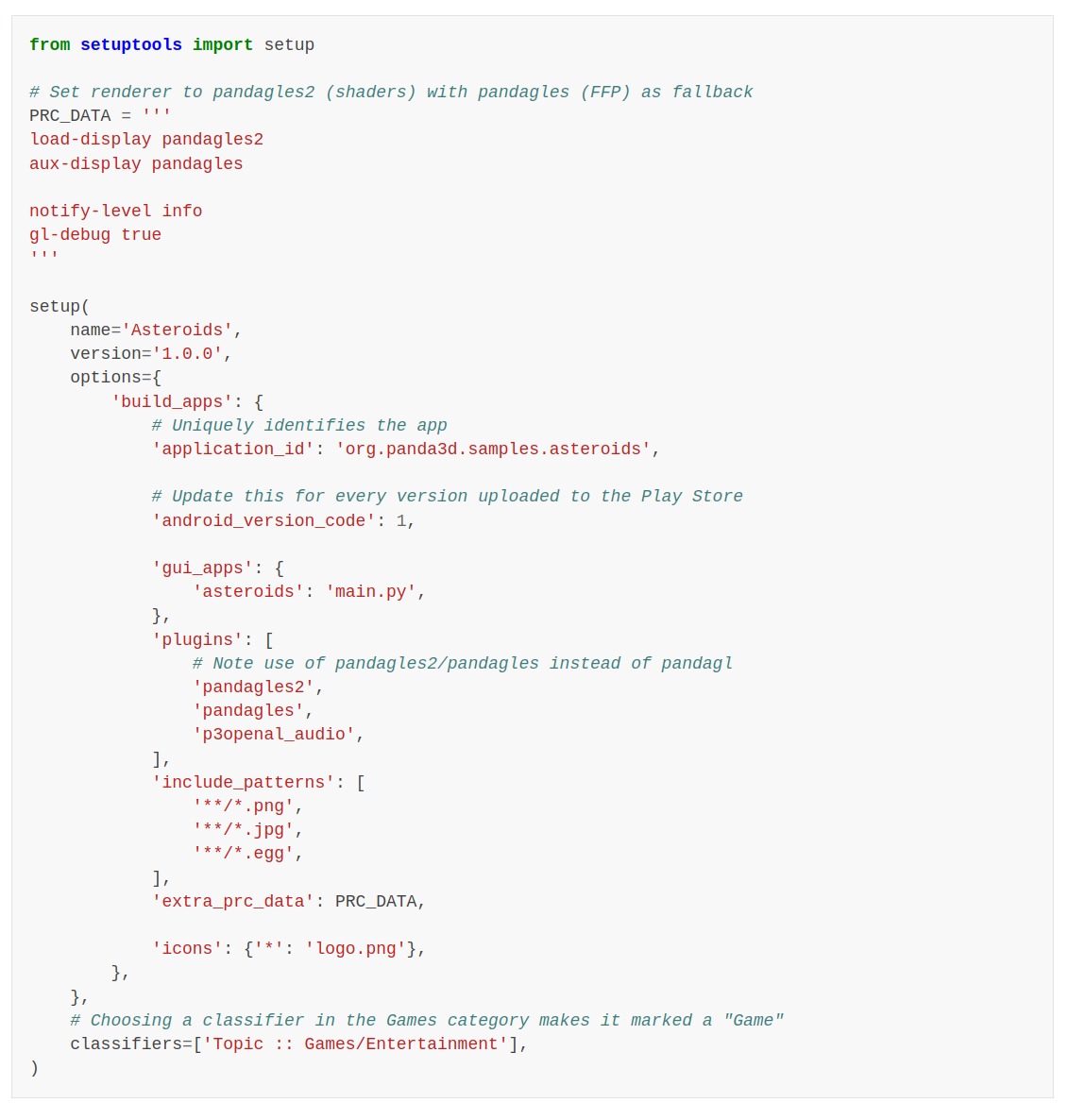
I thought it was a direct copy paste of the setup.py on the tutorial

Building for Android

because I thought the tutorial was just simply copy paste.
but if ‘platform’ not specified it will build desktop versions by default…

My updated setup.py

(we want a setup.py for all platforms and then another one just for android)

from setuptools import setup

PRC_DATA = '''
load-display pandagles2
aux-display pandagles

notify-level info
gl-debug true
'''

setup(
    name='Asteroids',
    version='1.0.0',
    options={
        'build_apps': {
            # This forces Android-only build
            'platforms': ['android'],

            # ABIs to include in the AAB (match your wheels; start with one for faster testing)
            'android_abis': [
                'arm64-v8a',      # Maps to your 'android_arm64' wheel
                'armeabi-v7a',    # Maps to your 'android_armv7a' wheel
                # 'x86_64',       # Maps to 'android_x86_64'
                # 'x86',          # Maps to 'android_x86'
            ],

            'application_id': 'org.panda3d.samples.asteroids',
            'android_version_code': 1,

            'gui_apps': {
                'asteroids': 'main.py',
            },

            'plugins': [
                'pandagles2',
                'pandagles',
                'p3openal_audio',
            ],

            'include_patterns': [
                '**/*.png',
                '**/*.jpg',
                '**/*.egg',
                # Add '**/*.bam' if needed for models
            ],

            'extra_prc_data': PRC_DATA,

            # Recommended
            'android_min_sdk_version': 21,
            'android_target_sdk_version': 35,

            # Removed to eliminate icon warnings (sample has no logo.png; add back with a valid high-res PNG if desired)
            # 'icons': {'*': 'logo.png'},
        },
    },
    classifiers=['Topic :: Games/Entertainment'],
)

That worked when I ran the ‘python setup.py dbist_apps’ command.
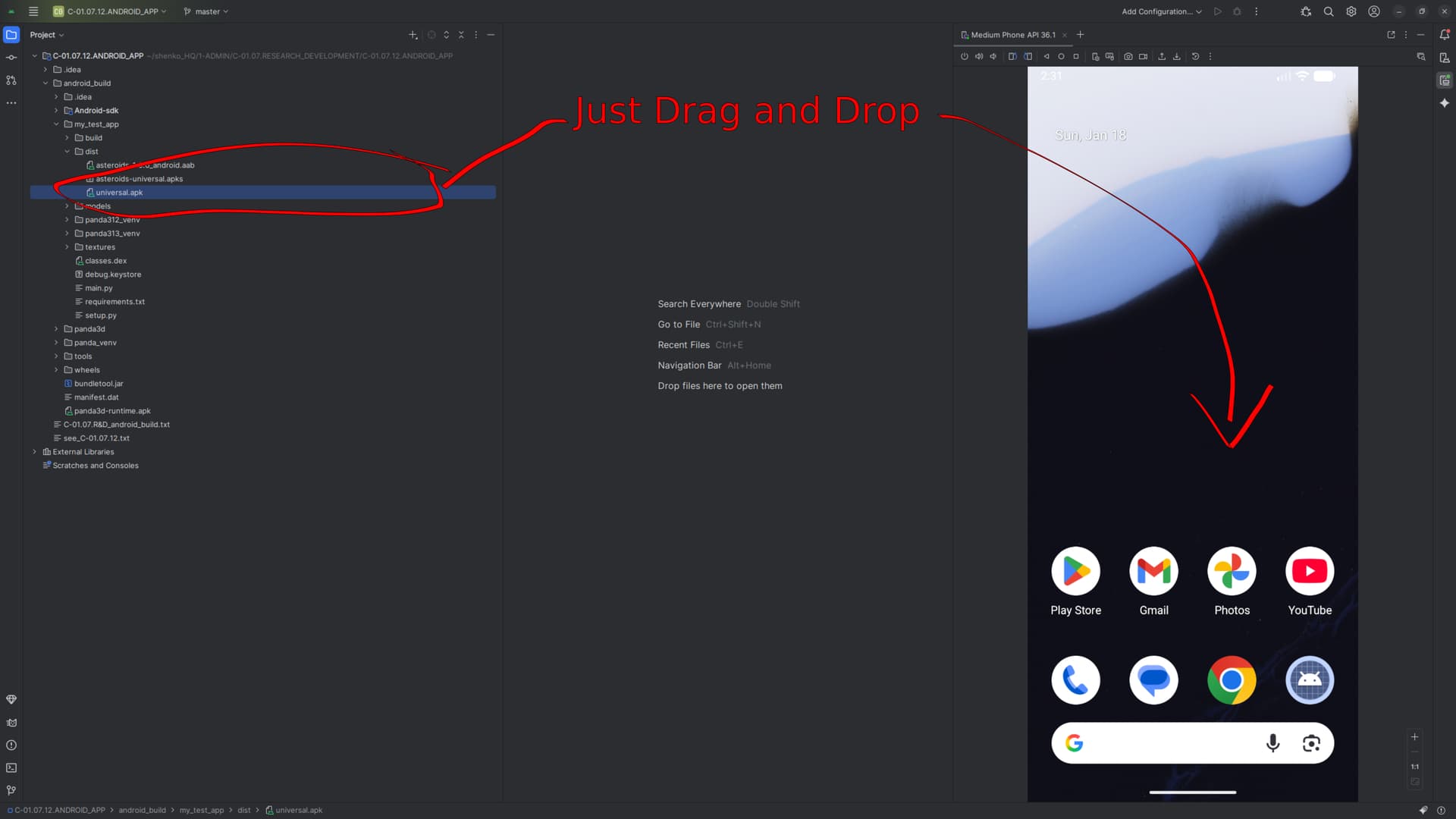
I now see ‘asteroids-1.0.0_android.aab’ in the dist folder

also I have a ‘requirements,txt’ file with the following content

-f ../wheels
panda3d

and this links to the pre-compiled wheels for android
These .whl files (Python wheel packages) are custom-built versions of Panda3D specifically compiled for Android architectures (ABIs)

panda3d-1.11.0-cp313-cp313-android_arm64.whl
panda3d-1.11.0-cp313-cp313-android_armv7a.whl
panda3d-1.11.0-cp313-cp313-android_x86_64.whl
panda3d-1.11.0-cp313-cp313-android_x86.whl

which I put in a folder ../wheels

1 Like

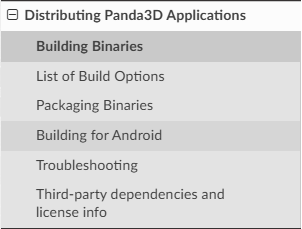
I thought that the manual is mastered in the order that is suggested and not arbitrarily.

@shenko so is everything working now for you ?

Got it, I need to update the manual page, the platforms is missing. See also the Android-specific options here. This should be right now, are there any other issues you’re running into now?

1 Like

@rdb
I suggest making the Building for Android page a subsection of Building Binaries. I think it would be more logical.