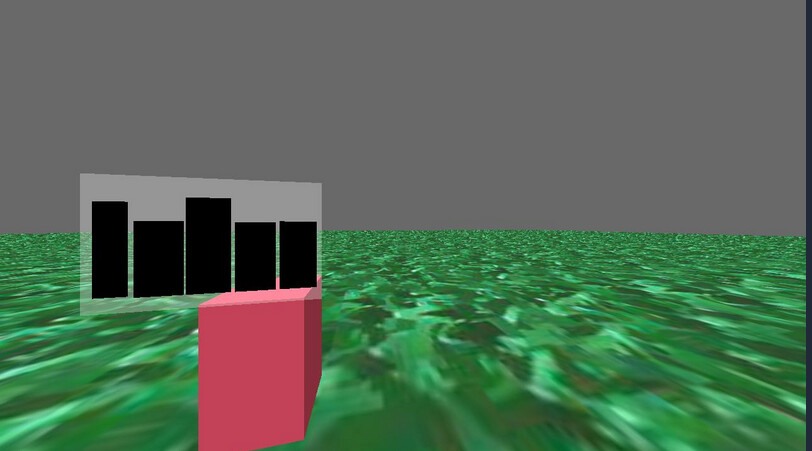
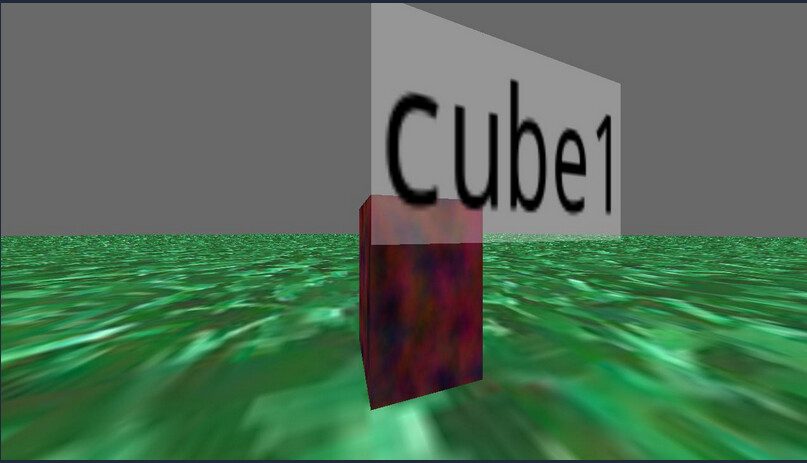
We are trying to draw a text node above a model but it is only render as boxes. Seems to be a issue loading the font, but I have tried to load several fonts and it does not seem to change. Below is the python snippet.
self in this context is a class that extends ShowBase
Hmm… Could you have something that’s disabling transparency?
Text in Panda is rendered as images on quads–and thus requires transparency for the text to be visible. If something were disabling transparency, that could result in the effect that you’re seeing, I believe.
Here’s a short test-program that should demonstrate what I mean:
(Note the commented lines.)
from direct.showbase.ShowBase import ShowBase
from panda3d.core import TextNode, NodePath
class Game(ShowBase):
def __init__(self):
ShowBase.__init__(self)
self.disableMouse()
text = TextNode('Mew')
text.setText("Mew")
text.setTextColor(0, 0, 0, 1)
text.setCardColor(0.8, 0.8, 0.8, 0.3)
text.setCardAsMargin(0, 0, 0, 0)
text.setCardDecal(True)
text_nodepath = NodePath(text)
text_nodepath.reparentTo(render)
text_nodepath.setTwoSided(True)
text_nodepath.setPos(0,10,1)
# Uncomment the following line to show the issue:
#text_nodepath.setTransparency(False, 100)
app = Game()
app.run()
@Thaumaturge So it was not transparency, however your comment led to figure out the problem. Instead of parenting the TextNode to the cube, I parented it to self.render and the text showed up fine. So the led me to believe that it was some property of the cube that was propagated to the TextNode that was causing the issue. Turns out it is the setTextureOff call (see below for full source). If I remove this, then the text is rendered properly, even when it is parented to the cube. However, I don’t know the proper solution because I don’t want the cube to have texture, I just wanted it to be a certain color. I could call setTexture on the TextNode, but I am not sure which texture to provide.
Full snippet with the cube:
cube = self.loader.loadModel("models/box")
cube.setScale(1, 1, 1) # Create a 1m x 1m x 1m cube
cube.reparentTo(self.render)
cube.setTextureOff(1) # Disable default texture - if I comment this out, the text displays properly
color = ColorHash(tag)
r,g,b = color.rgb
cube.setColor(r/255, g/255, b/255, 1) # Normalize to 0.0-1.0 for Panda3D
cube.setBin("fixed", 10)
# Add a textnode with the name of the actor
        font = self.loader.loadFont('/usr/share/fonts/truetype/noto/NotoMono-Regular.ttf')
        text = TextNode(f'{name}_text')
        text.setFont(font)
        text.setText(name)
        text.setTextColor(0, 0, 0, 1)
        text.setCardColor(0.8, 0.8, 0.8, 0.3)
        text.setCardAsMargin(0, 0, 0, 0)
        text.setCardDecal(True)
        text_nodepath = NodePath(text)
        text_nodepath.reparentTo(cube)
        text_nodepath.setTwoSided(True)
        text_nodepath.setPos(0,0,1)
As to your problem, I suppose that my question is this: Why does the cube have a texture in the first place? Could you not just… use a cube without a texture? Then you wouldn’t have to call “setTextureOff”.
But if it is called for, then I might suggest placing the cube and the text below a common “handle” NodePath, which would be used instead of the cube for the transform of the pair. This way the cube can have its own settings, separate from those of the text, while still allowing them to be associated in space.
(It’s probably possible to find the NodePath within the text that holds the relevant texture, determine the proper TextureStage for it, find its texture, and then re-apply that texture with that TextureStage and an appropriate priority-value… but the above approach seems simpler, and in some ways cleaner, to my mind.)
I am just using the default ‘box’ model that is in the models dir (models/box.egg I believe), which I guess has some sort of default texture as part of the .egg. We didn’t want to apply this texture, we just wanted cubes with solid colors, so we removed the texture. I think your approach should work; basically have an anchor that both the cube and the TextNode are children of, and then their properties can be set independently without propagation. Alternatively, if there is a way to load the models/box.egg without loading the texture, that should also work.