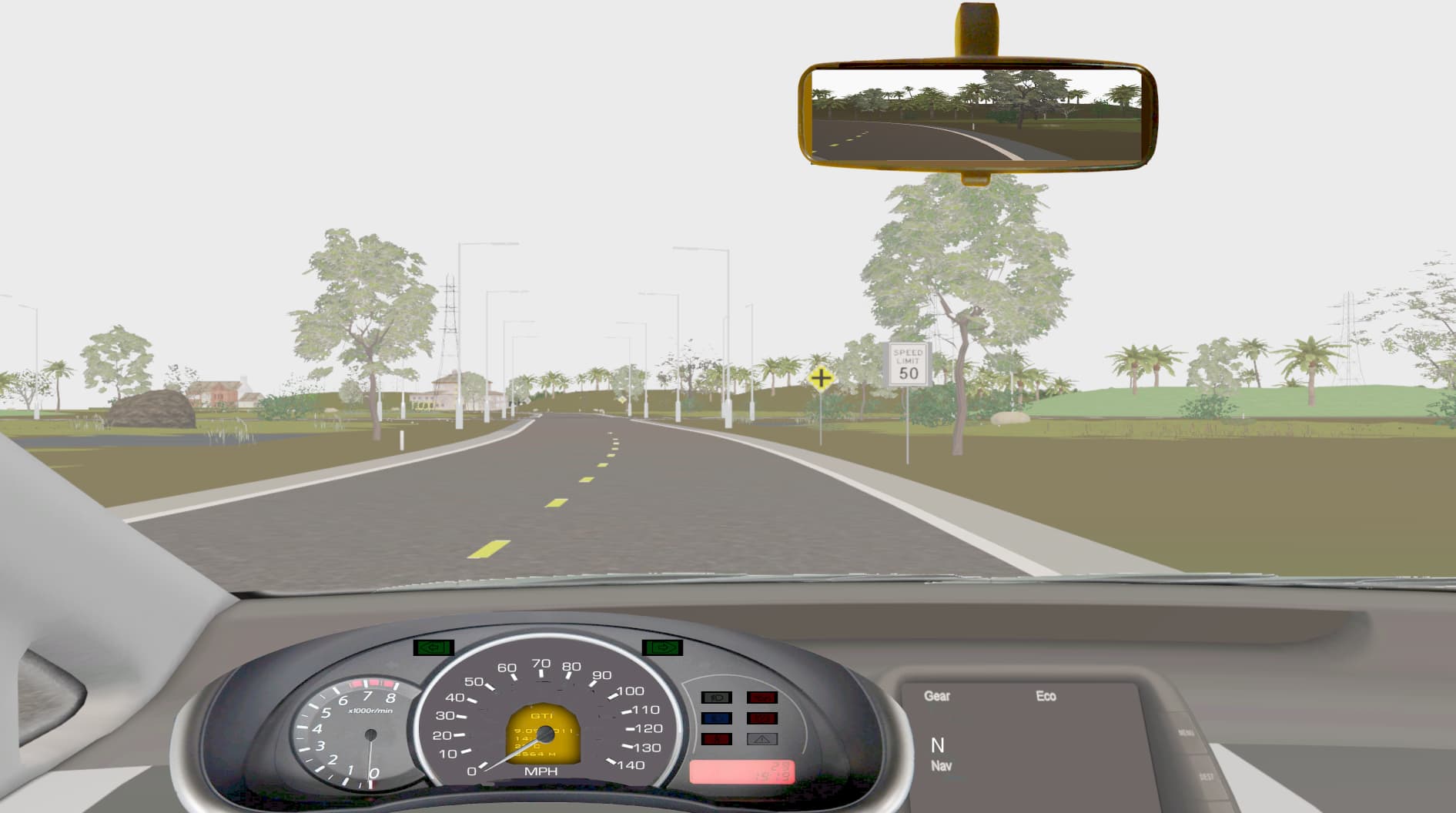
I have converted all my models to gltf in Blender, and have attached PBR textures, because I want to use simplePBR. However, the resulting database looks way to light when I render it in simplePBR.
I have loaded simplePBR as:
class RendererC(ShowBase):
def init(self):
super().init()
self.pipeline = simplepbr.init(
enable_shadows=True,
max_lights=8,
msaa_samples = 8,
use_normal_maps=True
)
It looks like an issue with sRGB gamma curve. Are you using panda3d-gltf to load the .gltf objects? If not, you are probably loading the models using the built-in Assimp plug-in, which is poor quality when it comes to glTF models and I don’t think it sets the sRGB formats on the textures correctly. Please try installing it and clear the model-cache-dir to ensure the models will be reloaded from disk.
I’m not sure, I simply do self.world = loader.loadModel(‘model.gltf’).
I do have installed panda3d-gltf.
I tried to do:
import gltf
self.world = gltf.load_model(‘model.gltf’)
but that does not result in loading a model.
Is that how to use the loader of panda3d-gltf?
No, you just have to make sure panda3d-gltf is installed (using pip), and it should be automatic. Make sure to clear your model-cache afterward.
It’s also possible that the problem is just a matter of lowering the exposure (or the light intensity), since this is a HDR pipeline, but issues with washed-out overly bright colours on the textures usually have something to do with sRGB not being applied properly.
Key Insight
The critical realization was that both framebuffer setting and texture format must match:
If framebuffer-srgb true, textures must be F_srgb_alpha (engine handles conversion)
If framebuffer-srgb false, textures use F_rgba8 (no automatic conversion)
Mixing them causes the double-conversion artifact. The solution wasn’t about disabling sRGB entirely, but about ensuring consistency between how textures are interpreted and how the framebuffer encodes output.
What worked for me:
I have a config.prc file to set the basic configuration:
texture-minfilter linear-mipmap-linear
texture-magfilter linear
texture-anisotropic-degree 8
… I also set a bunch of other settings but this is the most relevant for you now.
I simply call it in main.py:
“”"
Main entry point for the Panda3D game application.
“”"
from panda3d.core import loadPrcFile
from game.app.gameapp import GameApp
Load engine configuration
loadPrcFile(“config/config.prc”)
if name == “main”:
app = GameApp()
app.run()
I use panda3d-blend2bam to export the models+texture from blender, this simplifies the export if you use blender (prior to this I went with gltf and then bam, but this is more convenient).
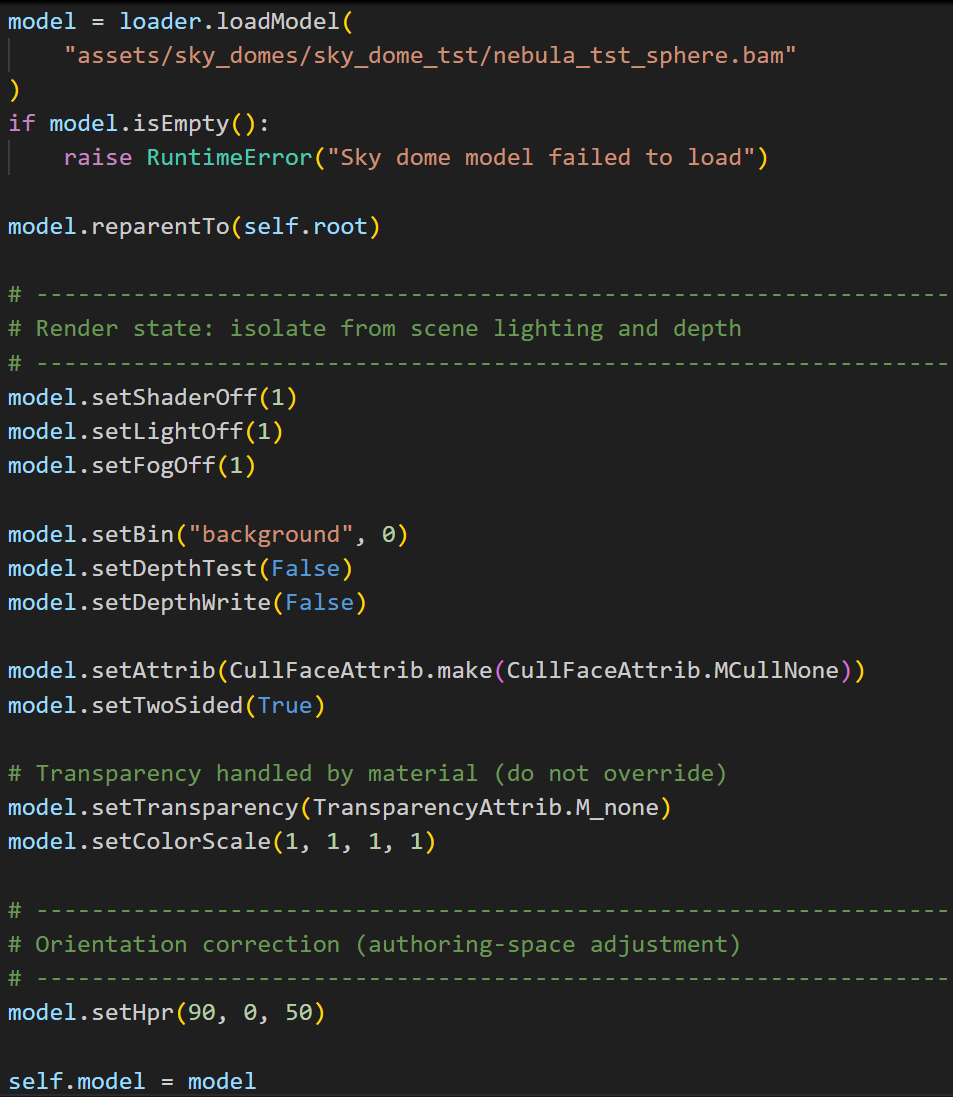
I’ve added an example how I load a 360 degree 8K skydome as a background.
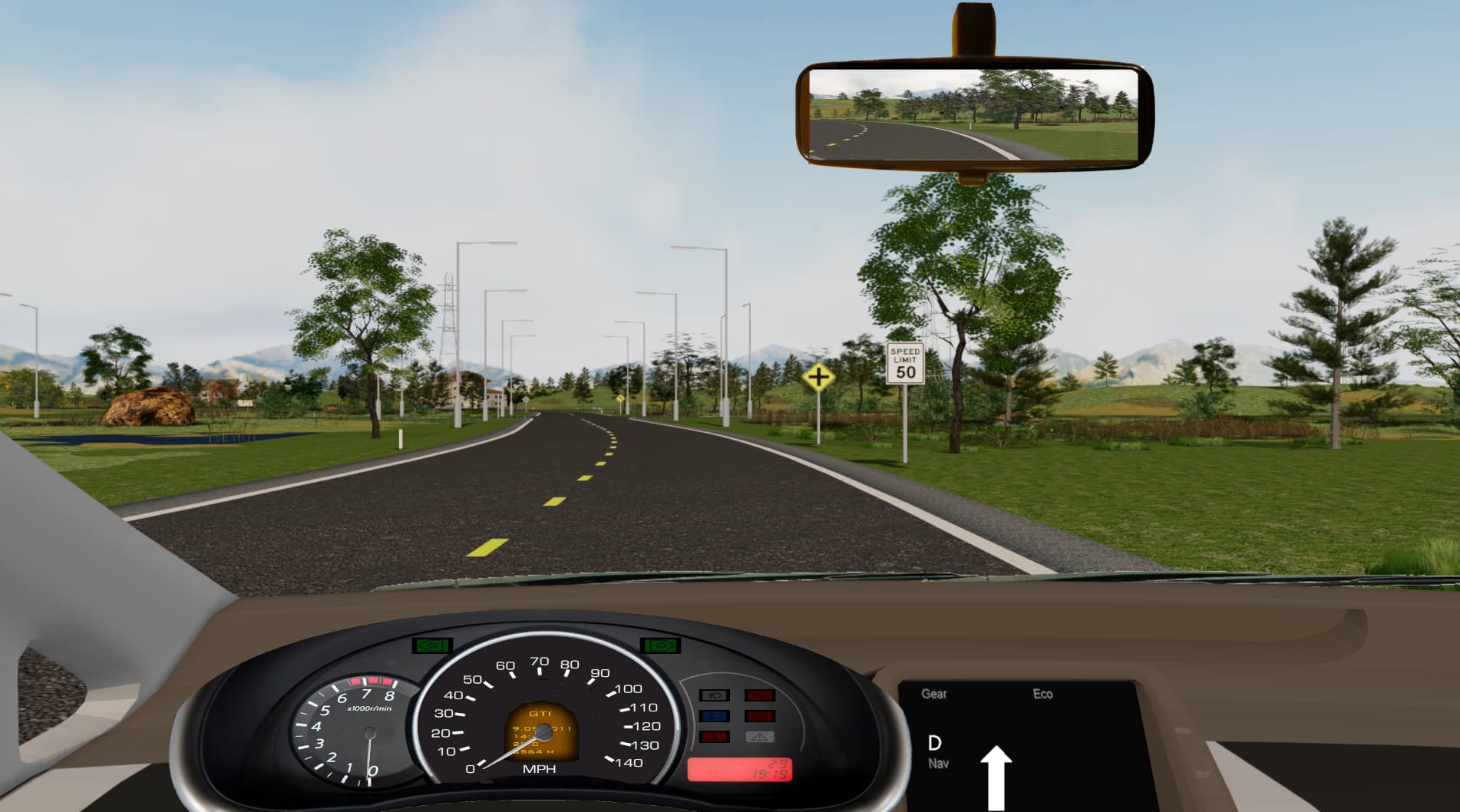
The graphics does looke better with your suggestions, however, the skydom still is not visible, the background is lightgray. Here is a screenshot with the non-simplePBR rendering with ‘traditional’ egg/bam files:
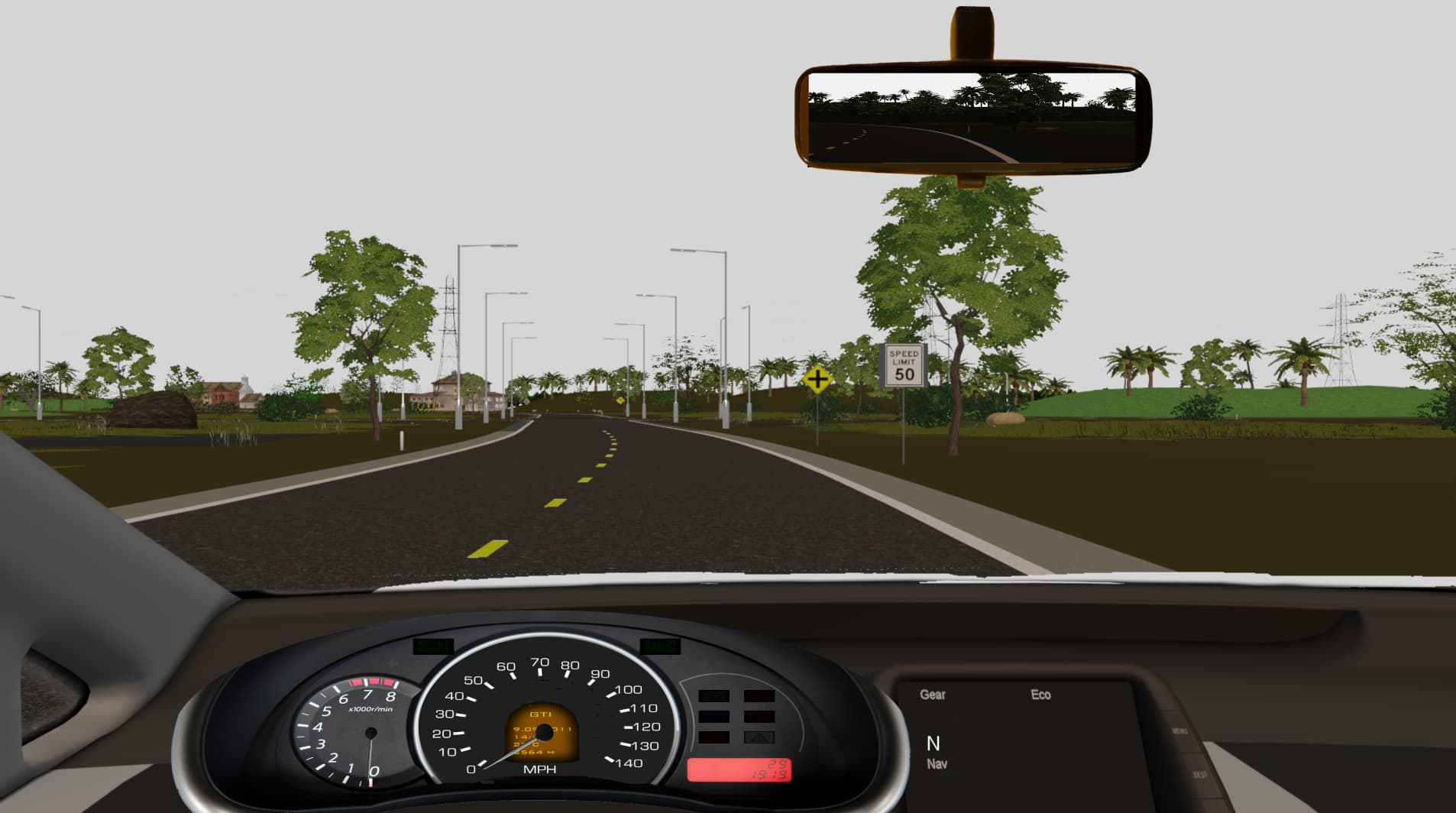
and this one is with simplePBR and gltf files from Blender. Some models are different between the 2 screenshots, but most are the same, including the skydome.
For background I use a 360 degree panorama photo (procedurally generated/exported) applied to a 3D shpere, which I exported from blender and simply, loaded into the scene.
I had the same issue with the background too, it was a mistake from my side, normals were faceing outward, not inward on the sphere, but probably thats not the problem in your case if it works with the standard renderer.
I’m in a hurry at the moment but will check your code again. Good news, after the initial hickups, it was fairly straightforward to set up my environment.