ImGui module for Python projects

Hello everyone. I have been working on this for a couple of weeks now.

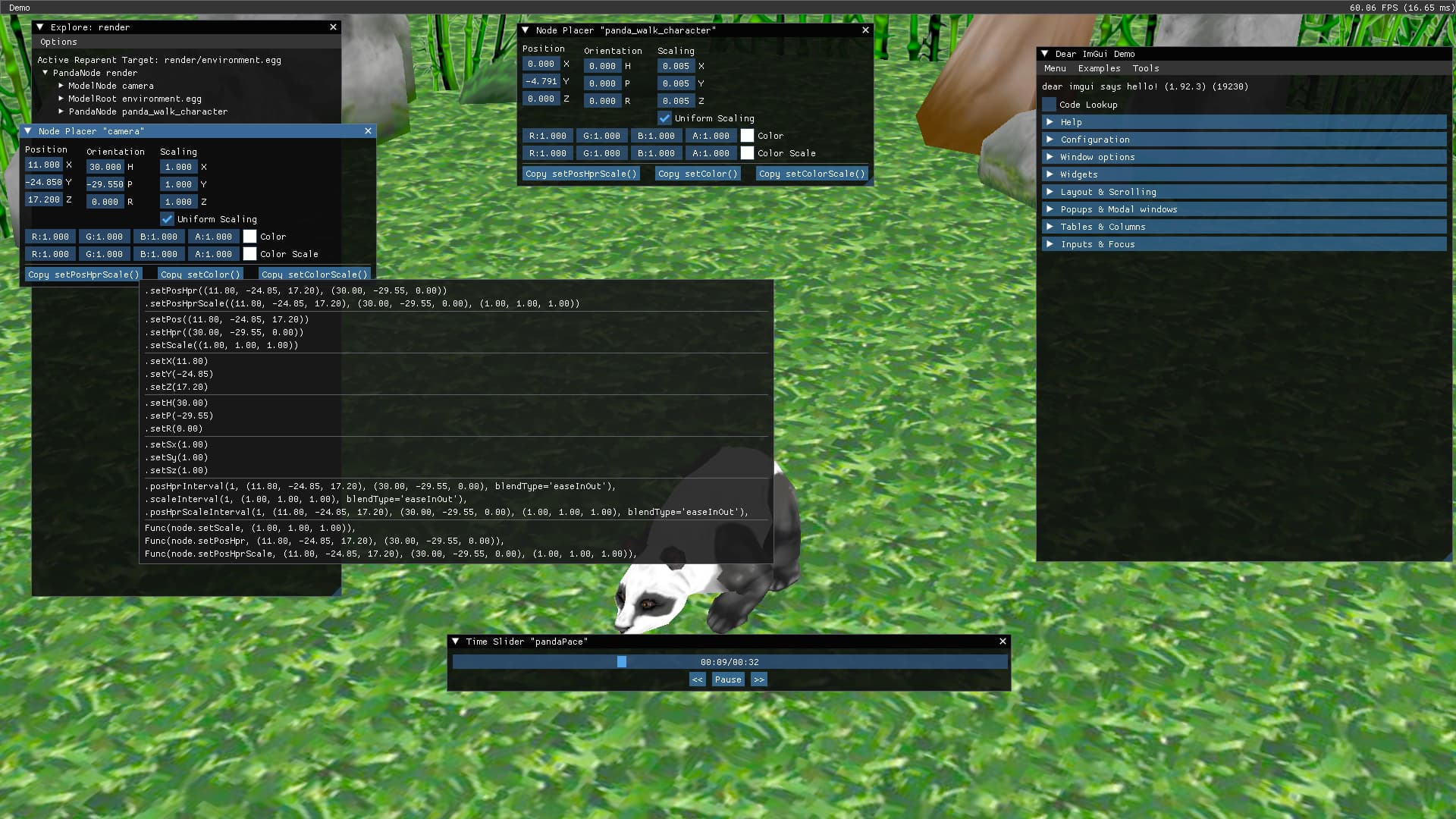
It is a Dear ImGui backend for Python-based Panda3D projects with a few built-in utilities based on the DIRECT tools. It is mainly intended to make content creation/development tools quickly without the hassle of Tkinter or DirectGUI.

Information on how to install and use on your own projects is on the repository’s README file.

Feedback is greatly appreciated!

10 Likes

I don’t have any specific feedback, but let me say that this is pretty cool! :slight_smile:

Plus, it’s nice to have an integrated alternative to DirectGUI! :slight_smile:

1 Like

Isn’t already done?
i remember using imgui with panda3d some long time ago

i remember using imgui with panda3d some long time ago

@Dotoro You must have used DirectGUI. that is what panda3d has by default, not “ImGUI”.

No, others have used ImGui with Panda in the past, I believe. It’s not bundled with the engine, but there have been those who have used the two together, as I recall.

See for example the following threads:

No that was exactly ImGui, not Dear imGui tho

I didn’t say Dear imGui , i was taking about DirectGUI. it’s what panda3d has, as the default built-in GUI system.

Yes, but you said that Dotoro “must have used DirectGUI”, which is… not true.

People have used GUI-systems other than DirectGUI with Panda, including Dear ImGUI. (I’m not sure of other ImGUI systems; that first link that I provided doesn’t clarify.)

It’s true that DirectGUI is the GUI-system that comes built into Panda–but it’s entirely possible to use other GUI-systems, and people have in the past, I believe.

My message is a little off topic, I recently discovered that the OGRE project now uses Python as a scripting language. So, this makes it possible to mix classes (bullet, collisions) Panda3d and Ogre rendering (ImGui). Alternatively, until Panda3D has its own shader system.

2 Likes

Hmm, this is a strange approach, in fact, the Panda3D API is used as a layer between the rendering commands. This is not canonical integration, it requires this kind of:

However, this is not possible with this imgui_bundle because the window management and rendering operations have been combined.

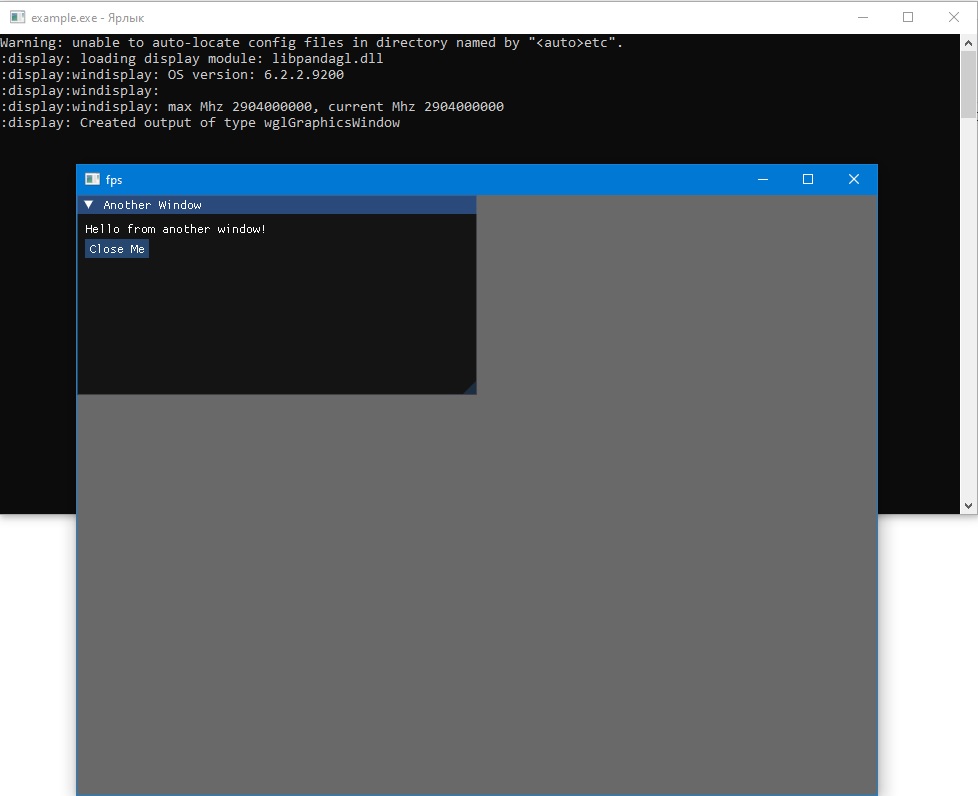
Then I switched to C++, and I managed to draw imgui. I used the official imgui_impl_win32 and imgui_impl_opengl3 backend from the developers for Windows. I guess there’s no problem developing a module for both python (pyd) and C++(lib). It turned out that there are no difficulties in integrating the Im Gui into Panda3D. Here’s the proof.

1 Like

Hi, thanks for sharing this - it’s a really nice and much-needed piece of tooling for Panda3D. The idea of using Dear ImGui for Python-based Panda tools makes a lot of sense.

I’ve just tried the current version on a modern setup and wanted to report a reproducible issue that looks backend-related rather than user code.

Environment

  • OS: macOS 15.2 (Apple Silicon, arm64)
  • Python: 3.12.10 (clean virtualenv)
  • Panda3D: 1.10.15
  • Graphics pipe: CocoaGraphicsPipe
  • imgui_bundle: 1.92.4
  • p3dimgui: installed via pip

Minimal example (from README)

from direct.showbase.ShowBase import ShowBase
from imgui_bundle import imgui
import p3dimgui

class MyApp(ShowBase):
    def __init__(self):
        ShowBase.__init__(self)
        p3dimgui.init()
        self.accept("imgui-new-frame", self.draw)

    def draw(self):
        imgui.show_demo_window()

app = MyApp()
app.run()

Result

The application crashes during p3dimgui.init() with the following error:

NameError: name 'VERT_SHADER' is not defined
  File ".../p3dimgui/backend.py", line 320, in __setupShader

This happens consistently on macOS using the CocoaGraphicsPipe backend. From the traceback it looks like VERT_SHADER is conditionally defined and missing for this backend (or possibly for Python 3.12), rather than being an issue with the example code itself.

I’ve attached below the full log for completeness.

Happy to help test any fixes on macOS if needed - and thanks again for making this available, it’s a great idea for Panda3D tooling.

Known pipe types:
  CocoaGraphicsPipe
(all display modules loaded.)
Traceback (most recent call last):
  File "/Users/miklesz/PycharmProjects/Revision_2026/.venv/lib/python3.12/site-packages/p3dimgui/__init__.py", line 24, in init
    base.imgui
AttributeError: 'MyApp' object has no attribute 'imgui'

During handling of the above exception, another exception occurred:

Traceback (most recent call last):
  File "/Users/miklesz/PycharmProjects/Revision_2026/imgui_test.py", line 79, in <module>
    app = MyApp()
          ^^^^^^^
  File "/Users/miklesz/PycharmProjects/Revision_2026/imgui_test.py", line 68, in __init__
    p3dimgui.init()
  File "/Users/miklesz/PycharmProjects/Revision_2026/.venv/lib/python3.12/site-packages/p3dimgui/__init__.py", line 26, in init
    base.imgui = ImGuiBackend(window, parent, style)
                 ^^^^^^^^^^^^^^^^^^^^^^^^^^^^^^^^^^^
  File "/Users/miklesz/PycharmProjects/Revision_2026/.venv/lib/python3.12/site-packages/p3dimgui/backend.py", line 205, in __init__
    self.__setupShader()
  File "/Users/miklesz/PycharmProjects/Revision_2026/.venv/lib/python3.12/site-packages/p3dimgui/backend.py", line 320, in __setupShader
    VERT_SHADER,
    ^^^^^^^^^^^
NameError: name 'VERT_SHADER' is not defined

Process finished with exit code 1

Hi, quick follow-up with a bit more context.

First of all, I managed to resolve the previous issue (the shaders import collision) - that part was entirely on my side.

My project already had its own top-level shaders/ directory with custom GLSL code, so when p3dimgui does:

from shaders import *

it naturally collided with my own module. As a quick workaround, I renamed my project directory to custom_shaders, and everything works fine now.

That said, it would still be really nice if this could be handled on the p3dimgui side, so it doesn’t rely on such a common and obvious module name as shaders. Namespacing this would probably avoid similar issues for other users.


After fixing that, I ran into a second, separate issue related to GLSL versions.

The backend currently ships with GLSL 1.20 shaders, which works fine as long as Panda3D runs in a legacy/compatibility profile. In my project I explicitly force:

loadPrcFileData("", "gl-version 4 1")

because my rendering pipeline relies on a 4.1. In that case, the ImGui shaders fail to compile (which is expected), since GLSL 120 is not supported in a 4.1 context.

I fixed this locally by rewriting the shaders from GLSL 1.20 to GLSL 4.10. After that, everything works correctly. So effectively it’s an “either legacy GL or updated shaders” situation.

For reference, this is the modified shader code I’m currently using:

FRAG_SHADER = """
#version 410

in vec2 texcoord;
in vec4 color;

uniform sampler2D p3d_Texture0;

out vec4 fragColor;

void main()
{
    fragColor = color * texture(p3d_Texture0, texcoord);
}
"""
VERT_SHADER = """
#version 410

// Panda3D-provided vertex inputs
layout(location = 0) in vec4 p3d_Vertex;   // { vec2 pos, vec2 uv }
layout(location = 1) in vec4 p3d_Color;

// Outputs to fragment shader
out vec2 texcoord;
out vec4 color;

// Panda3D-provided uniform
uniform mat4 p3d_ModelViewProjectionMatrix;

void main()
{
    texcoord = p3d_Vertex.zw;
    color = p3d_Color.bgra;

    gl_Position =
        p3d_ModelViewProjectionMatrix *
        vec4(p3d_Vertex.x, 0.0, -p3d_Vertex.y, 1.0);
}
"""

Obviously, this is still a dirty hack on my side. Ideally, it would be great if the backend could detect the active OpenGL/GLSL version (or whether Panda3D is running in a core vs compatibility profile) and automatically select appropriate shader variants.

Just documenting this in case someone else runs into the same combination of issues.
1 Like

Hi all,

I’m posting a follow‑up regarding an issue I’m hitting when trying to build a Panda3D application that uses ImGui on macOS. The same project builds correctly on Linux and Windows, but fails consistently on macOS during the build_apps step.

I’m hoping someone familiar with Panda3D packaging, panda3d-imgui, or imgui-bundle on macOS might have some insight.


Environment

  • macOS: Apple Silicon (ARM64), macOS 14
  • Python: 3.13.11 (framework build, clang 16)
  • Panda3D: 1.10.16 (opt build)
  • ImGui integration: panda3d-imgui==1.1.0
  • imgui-bundle:
    • Runtime: 1.92.4 (macOS arm64 wheel installs fine)
    • Build step attempts to resolve a different wheel

Virtual environment created with venv, clean install.


Runtime installation (works on macOS)

pip install panda3d-imgui

This succeeds and pulls in:

  • panda3d-imgui 1.1.0
  • imgui-bundle 1.92.4 (macosx_14_0_arm64)
  • glfw, PyOpenGL, pillow, etc.

The application runs correctly on macOS when started via Python.


Build step (fails on macOS)

I am using build_apps via setup.py / build.sh, targeting:

manylinux2014_x86_64
macosx_10_13_x86_64
win_amd64

Linux and Windows builds succeed.

Failure point

During the macOS runtime wheel gathering stage, pip fails to resolve imgui-bundle:

ERROR: Could not find a version that satisfies the requirement imgui-bundle (from versions: none)
ERROR: No matching distribution found for imgui-bundle

This happens while running:

pip download --only-binary=:all: \
  --platform macosx_10_13_x86_64 \
  --abi cp313 \
  -r requirements.txt

Important detail

At runtime, macOS installs:

imgui_bundle-1.92.4-cp313-cp313-macosx_14_0_arm64.whl

But during build_apps, Panda3D tries to resolve:

macosx_10_13_x86_64

There is no matching wheel for:

  • imgui-bundle
  • Python 3.13
  • macOS x86_64

This appears to be the core mismatch.


Why this is confusing

  • The build is running on Apple Silicon
  • A valid arm64 macOS wheel exists and works at runtime
  • But build_apps insists on resolving an x86_64 macOS 10.13 wheel
  • Linux and Windows do not hit this issue

Questions

  1. Is there a supported way to tell build_apps to:

    • target macOS arm64 instead of macosx_10_13_x86_64?
  2. Is imgui-bundle expected to be unsupported for macOS packaging at the moment?

  3. Would pinning imgui-bundle to a different version help, or is this fundamentally an architecture issue?

  4. Is there a known workaround (e.g. excluding ImGui from macOS builds, or providing a custom wheel)?


Minimal reproduction

  • Panda3D 1.10.16
  • Python 3.13
  • panda3d-imgui imported anywhere in the project
  • build_apps targeting macOS

No ImGui calls are required - the dependency alone is enough to trigger the failure.


Any hints, confirmations, or pointers would be greatly appreciated. If this is a known limitation, I’d also be happy to document it for others.

Thanks in advance!

I don’t know whether it’s supported, but according to documentation that I found, it should be possible to use a platform tag along the lines of macosx_11_0_arm64. (See the aforementioned documentation for details.)

Thanks for the pointer - that helped narrow things down.

I followed the suggestion and tried targeting Apple Silicon explicitly by setting:

"platforms": ["macosx_11_0_arm64"]

in build_apps.

The build itself completes successfully and produces a native ARM64 .app. However, the application crashes immediately on launch on Apple Silicon. No Python code is executed at all.

The crash is reported by macOS as a code-signing/loader failure:

  • EXC_BAD_ACCESS (SIGKILL)
  • Termination Reason: Namespace CODESIGNING, Code 2, Invalid Page
  • Crash occurs inside dyld, during early startup (applyFixupsGeneric, JustInTimeLoader::applyFixups)

This looks like a Mach-O/code-signing issue rather than a missing dependency or Python-level problem. The binary is ARM64 native, built with Panda3D 1.10.16, on macOS 26.2 (Apple Silicon). The project uses imgui-bundle wheels tagged as macosx_14_0_arm64.

So in short: targeting macosx_11_0_arm64 allows the build to finish, but the resulting app is rejected by the loader at runtime.

At this point it feels like a mismatch between: the platform tag passed to build_apps, the actual minimum macOS version of bundled wheels, and Apple’s stricter code-signing/dyld validation on recent macOS releases

If anyone knows whether build_apps re-signs embedded native wheels correctly on macOS, or whether using macosx_14_0_arm64 is required (and how to make Panda accept that), I’d appreciate any insight.

1 Like