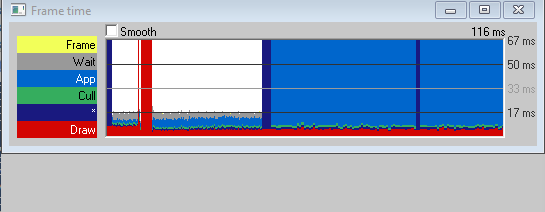
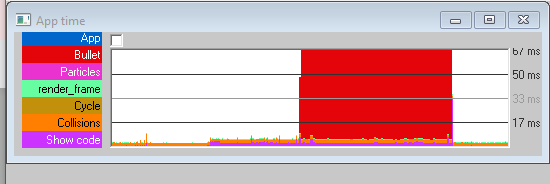
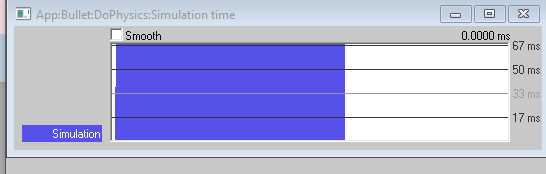
But it still seems to be an issue for me, whenever I use the do_physics method from the python side, there’s a considerable drop in frame rate. I’m using the Panda3D version 1.10.15
Here is what I do on the C++ side:
I could just simulate things from the python side, but if the c++ side is considerably faster, then it would be great if this seemingly persistent issue is resolved. Am I doing something wrong?
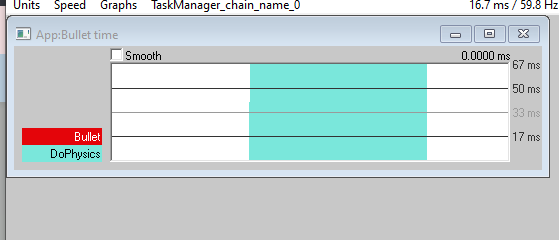
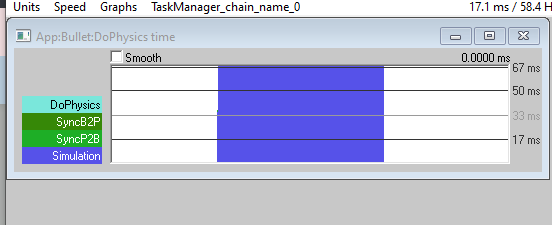
I can think of no reason why the C++ call would be faster than the Python call, other than confounding factors such as multithreading use. Where does PStats show the performance goes?
Based on that, it looks to me like the problem is likely less the Python call and more just whatever physics is being simulated.
Looking at your code, do you really need sub-steps of so fine a resolution? Right now your sub-step-size is set to be just 180th of a second each. i.e. Aiming to run at 180 physics updates per second.
So if your game is running at 60fps, you’ll get three physics steps each frame, if I’m not much mistaken.
Otherwise, what does your physics world look like? Do you have lots of objects, or complex physical relationships? (e.g. Lots of stacking, or lots of joints between physics objects, or a bunch of soft-bodies, etc.?)
I’m basically doing some simple tests to familiarize myself with bullet’s c++ implementation in Panda3D, so the world is very simple, just a cube falling down towards a triangle-mesh. What you recommended however seems to fix the issue, changing this:
Hmm… Interestingly, this seems to reveal a discrepancy in the C++ and Python examples within the manual: The Python version first shows “do_physics” being used with only the delta-time, and then goes on to mention the use of a time-step. However, the C++ version–despite appearing to have the same text around it–only shows “do_physics” being used with a time-step.