Good day. I’m interested in creating a single part actor with armature animation, where the actor’s vertices are both able to be manipulated via skeletal animation as well as by blend shapes.
In order to illustrate my question, I hope this hypothetical situation sheds light on what I am trying to achieve:
Let’s say we have a single mesh, a regular man with a regular skeleton, who we will call John Panda. In the most common animation workflow, we pack John neatly into a john.egg, and we give him john-idle.egg, john-run.egg, etc. separately. So far so good.
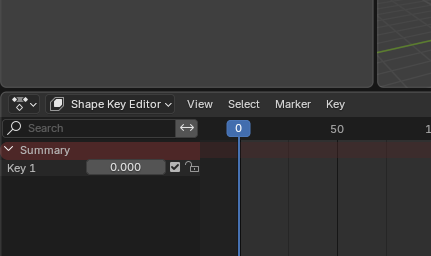
However, Panda and its actor system also supports blend shapes. We can for example export a keyframed John model from blender where he has no armature anymore, but his mesh has a shapekey where he turns into a sphere. This also works, if in a 30 frame animation we animate John interpolating from his T pose form into his sphere form, we can export this from blender and see it with pview, calling something like: pview john-blendshape.egg john-blendshape-tosphere.egg and voila, we now have John Panda morphing with a blendshape just as keyframed in blender.
But here is where the problem arose for me: When I tried to make a model have a blend shape (or ‘shapekey’) as well as an armature, pview froze solid. Stuck on busy, and hanging to no end.
To verify it wasn’t just pview doing this, I recreated the same scenario within a new, full, panda application. John Panda with his armature loaded, so did John Blendshape, but upon trying to combine the two, John Pandashape whenever called as an actor would instantly cause the application to begin hanging indefinitely. No crash, no error, nothing.
Now I believe I understand where I went wrong. From my understanding, I believe blendshapes effectively give the actor a new joint that can be exposed and controlled programmatically, which is all well and good. However, giving an actor that is already parented to an armature (As blender has a reverse hierarchy where the mesh belongs to the armature rather than vice versa) and trying to export the armature and mesh together while the mesh has a shape key, I theorize at least the way I am doing it might be trying to give John Pandashape two separate skeletons, and Panda doesn’t like it.
The nuances of how specifically the animating can be done can come later, but the first problem I need to figure out is: Is it possible to combine the two capabilities, and if so, how can I get John Panda into a Panda program so he successfully loads into panda with both a skeleton and a shape key, so both can have an effect at the same time?
I’m sort of trying to get a similar effect to like a player character from an RPG that has a character creator, or a base humanoid system that could randomize appearances through various blend shapes. Their body shape might differ to varying degrees, but all the animations still work.
I’d also like to state upfront that I am aware of the multipart actor capabilities of Panda, but at this time I would like to try to avoid using such a system in favor of a unified mesh. The reason being is that I would like the capability to actually have the actor change shape while being observed, and blend shapes allow for smooth interpolation between the base and modified shape.
If we had John Panda with a weakling and ripped shape, we might want him to smoothly interpolate from weakling to ripped over time, or vice versa. In such a case, I believe trying to achieve this effect with a multi-part setup would be inadequate. My reasons for thinking as such are twofold:
- I can see being issues are either it would have to be swapping instantly from weakling parts to ripped parts, or alternatively
- There would have to be a dozen preset parts that the program would need to constantly swap between.
All help is appreciated, and I do hope I’ve made myself clear to explain the issue, especially as I am more familiar with the animation package side of things (Blender and its functionality) than I am with Panda3D. I’m half hoping I am simply missing something obvious in the export process. Thank you!