Even if I copy files, such as fonts or the prc file, to a fixed folder, like c:\rpconfig, the system sais it was unable to open the file. I have no idea what is going on.
Guys, you can install it in different ways. This method works 100%
You can skip the Panda build now it works with the SDK.
Okay, I now installed it in the way suggested by serega-kkz, and these errors of not being unable to open files etc are gone. So that’s good. However, when I run the examples, for example 07-shading-models, the images flicker continuously, especially in the roaming ralph example. I use an NVidia RTX2080 Super GPU. A few years ago, I also installed the PBR pipeline on an older computer, and there these flickering artefacts and errors were absent, however, I did not continue then with the PBR pipeline because I framerate was too low then, so I wanted to have a try again with a faster GPU with more bandwidth. But now I get these errors:
[!] RPLoader Loading '/$$rp/data/default_cubemap/cubemap.txo' took 140.62 ms [>] PluginManager Loading plugin settings [>] PluginManager Creating plugin instances .. [>] Debugger Creating debugger [>] plugin:scattering Loading scattering method for 'eric_bruneton' [>] StageManager Setup stages .. [>] StageManager Preparing stages .. [>] AOStage Blur quality is MEDIUM [>] StageManager Awaiting future pipe Exposure [>] UpdatePreviousPipesStage Creating previous pipes stage .. [>] StageManager Writing shader config [!] RPLoader Loading '/$$rptemp/$$effect-skybox@vertex-voxelize@-1599444431229788019-00000100.glsl, /$$rptemp/$$effect-skybox@fragment-voxelize@-1599444431229788019-00000100.glsl' took 93.75 ms [!] RPLoader Loading '/$$rptemp/$$effect-skybox@vertex-envmap@-1599444431229788019-00000100.glsl, /$$rptemp/$$effect-skybox@fragment-envmap@-1599444431229788019-00000100.glsl' took 93.75 ms [!] RPLoader Loading '/$$rptemp/$$effect-skybox@vertex-forward@-1599444431229788019-00000100.glsl, /$$rptemp/$$effect-skybox@fragment-forward@-1599444431229788019-00000100.glsl' took 93.75 ms [>] plugin:pssm Initializing pssm .. [>] ScatteringMethodEricBruneton Precomputing ... [!] RPLoader Loading '/$$rptemp/$$effect-default@vertex-voxelize@-6105998645553301518-11010111.glsl, /$$rptemp/$$effect-default@fragment-voxelize@-6105998645553301518-11010111.glsl' took 93.75 ms [!] RPLoader Skipping further loading warnings (max warning count reached) [>] RenderPipeline Finished initialization in 4.326 s, first frame: 3 :pgraphnodes(error): PointLight shadow buffers must have an equal width and height! :pgraphnodes(error): PointLight shadow buffers must have an equal width and height! :pgraphnodes(error): PointLight shadow buffers must have an equal width and height! :pgraphnodes(error): PointLight shadow buffers must have an equal width and height! :pgraphnodes(error): PointLight shadow buffers must have an equal width and height! :pgraphnodes(error): PointLight shadow buffers must have an equal width and height! :pgraphnodes(error): PointLight shadow buffers must have an equal width and height! :pgraphnodes(error): PointLight shadow buffers must have an equal width and height! :pgraphnodes(error): PointLight shadow buffers must have an equal width and height! :pgraphnodes(error): PointLight shadow buffers must have an equal width and height! :pgraphnodes(error): PointLight shadow buffers must have an equal width and height! :pgraphnodes(error): PointLight shadow buffers must have an equal width and height! :pgraphnodes(error): PointLight shadow buffers must have an equal width and height! :pgraphnodes(error): PointLight shadow buffers must have an equal width and height! :pgraphnodes(error): PointLight shadow buffers must have an equal width and height! :pgraphnodes(error): PointLight shadow buffers must have an equal width and height! :pgraphnodes(error): PointLight shadow buffers must have an equal width and height! :pgraphnodes(error): PointLight shadow buffers must have an equal width and height! :pgraphnodes(error): PointLight shadow buffers must have an equal width and height! :pgraphnodes(error): PointLight shadow buffers must have an equal width and height! :pgraphnodes(error): PointLight shadow buffers must have an equal width and height! :pgraphnodes(error): PointLight shadow buffers must have an equal width and height! :pgraphnodes(error): PointLight shadow buffers must have an equal width and height! :pgraphnodes(error): PointLight shadow buffers must have an equal width and height! :pgraphnodes(error): PointLight shadow buffers must have an equal width and height! :pgraphnodes(error): PointLight shadow buffers must have an equal width and height! [>] RenderPipeline Took 1.641 s until first frame [!] Panda3D :linmath(warning): Tried to invert singular LMatrix4. [>] RenderPipeline Hiding loading screen after 10 pre-rendered frames. [>] MountManager Cleaning up ..
About flickering you can contact @tobspr in discord, as far as I know it is interesting to him.
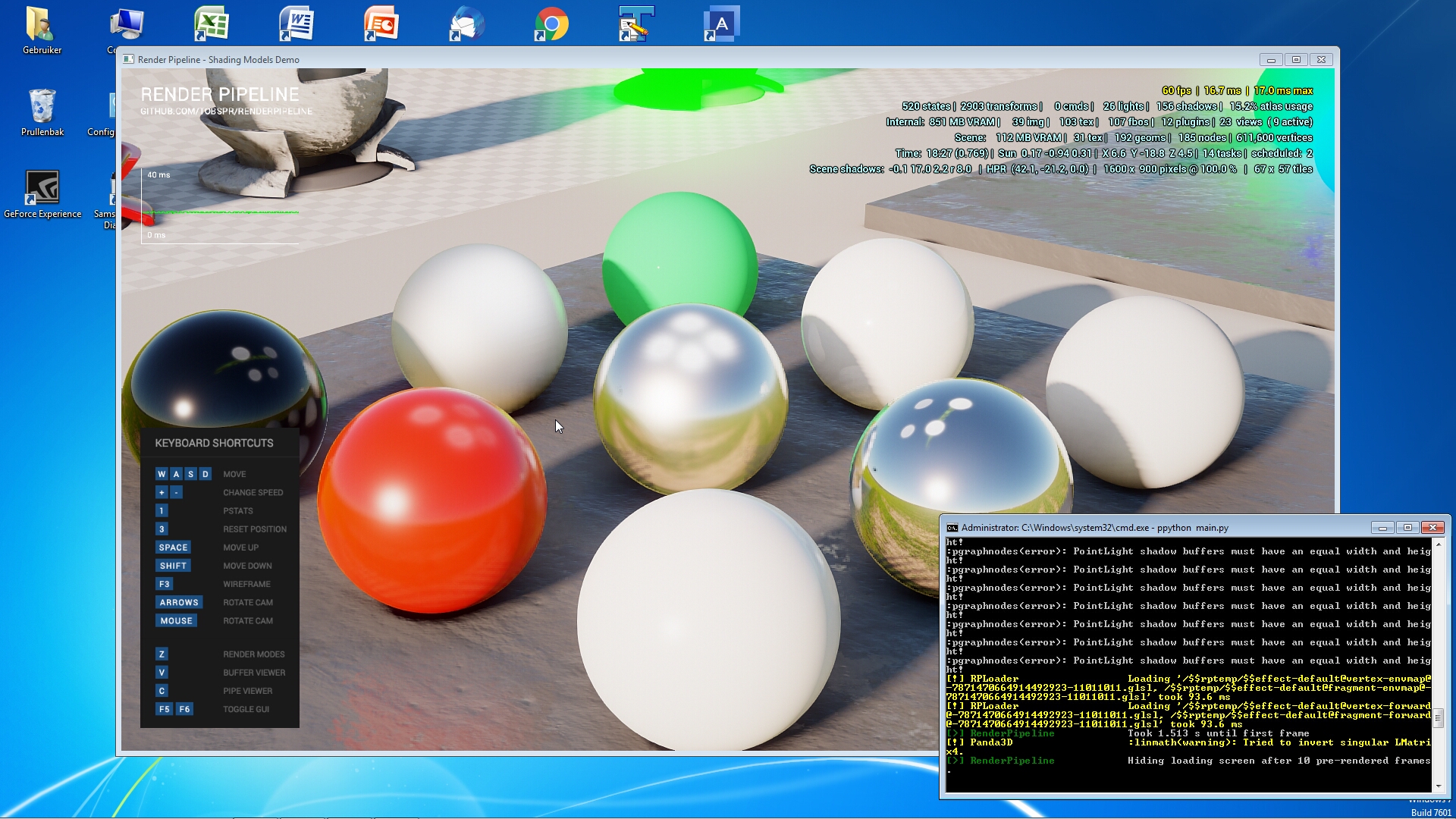
Thank you, I just did that. However, the problem is not just flickering. I tested the difference between a GTX1080 with windows 7 and an RTX2080 Super with windows 10. The panda version is Panda3d-1.10.6-x64 on both systems, and the PBR renderpipeline is the latest version, same for both. As an example 07-Shading-Models. Everything looks great on the GTX1080, but on the RTX2080 the colours are very pale and sometimes different or just white, the images are much courser on the RTX2080 and all movement (with the WASD keys) on the RTX2080 results in strong flickering. Also, there’s a green transparent flickeruing square overlapping the images on the RTX2080. I tried all different settings on the nvidia driver of the RTX2080, but that does not make any difference for these problems.
I wonder if others have experienced the same. If I don’t use the PBR pipeline, then using Panda3d rendering looks the same on both GPU’s. Here are a few example screenshots:
GTX1080:
RTX2080:
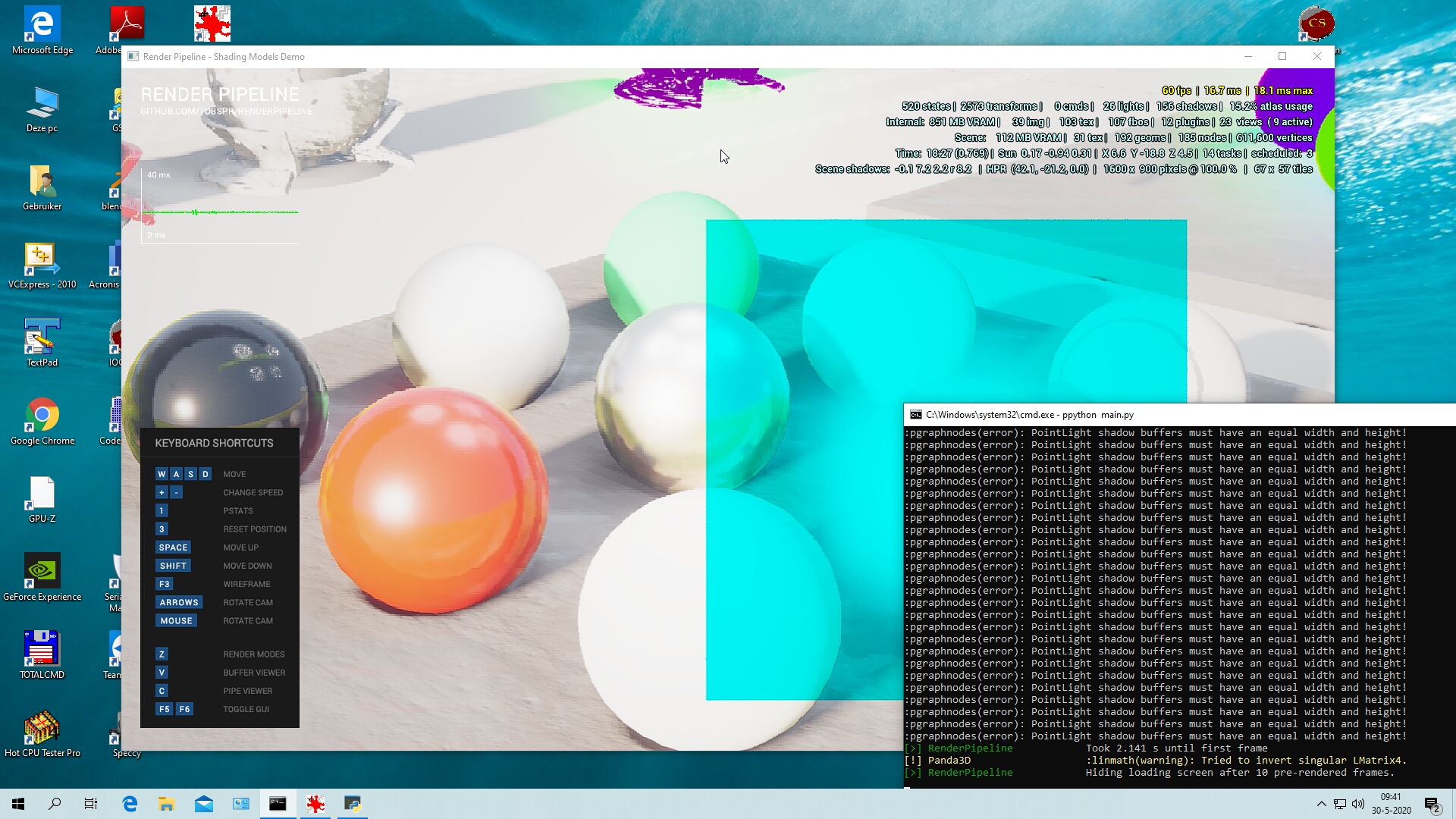
And I forgot to mention: both computers have the same, latest nvidia driver, version 446.14.
As an update. I know that the RTX2080 has been associated with hardware defects resulting in rendering artefacts, so I have done a number of shader/GPU tests. GPUtest 0.7.0 of Geeks3d.com gave the same results for both the GTX1080 and the RTX2080 and no artefacts. GFX Bench has a number of excellent shader tests, including deferred rendering and physically based shading (Aztec ruins OpenGL (high tier), Car chase, Manhatten etc.) and these tests were passed with no rendering artefacts whatsoever on both the GTX1080 and the RTX2080. So that makes it hard for me to go back to the computer shop and ask for a new RTX2080, because I have no indications that this GPU is defect.
So, if anyone else has the render pipeline (PBR) running on an RTX2080, please let me know, because now I am stuck and can’t continue with this.
This is a peculiar issue. The first thing to establish would be whether this is due to Panda behaving differently on the RTX2080, or whether the drivers/card are behaving differently.
Two first steps to tracking this problem down:
Firstly, you can download and install apitrace, and then use it to record a .trace file that contains the OpenGL commands that Panda makes. You need to record just long enough for the issues to present themselves. You can use qapitrace to inspect the file. If replaying this trace file on your GTX1080 shows the same problem, that means that it’s something Panda is doing differently (which’d be good news, because that means it’s likely not hard to fix).
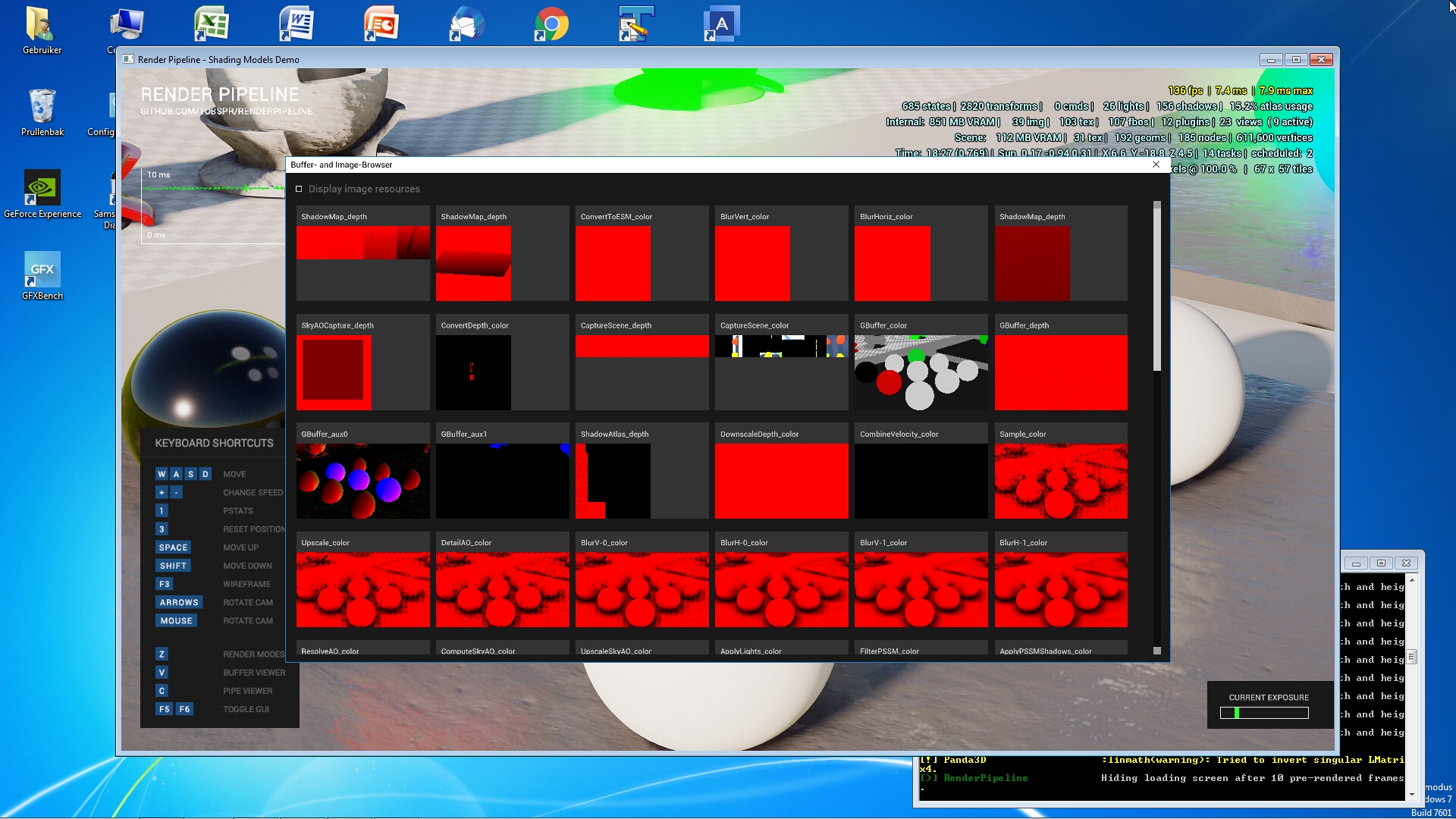
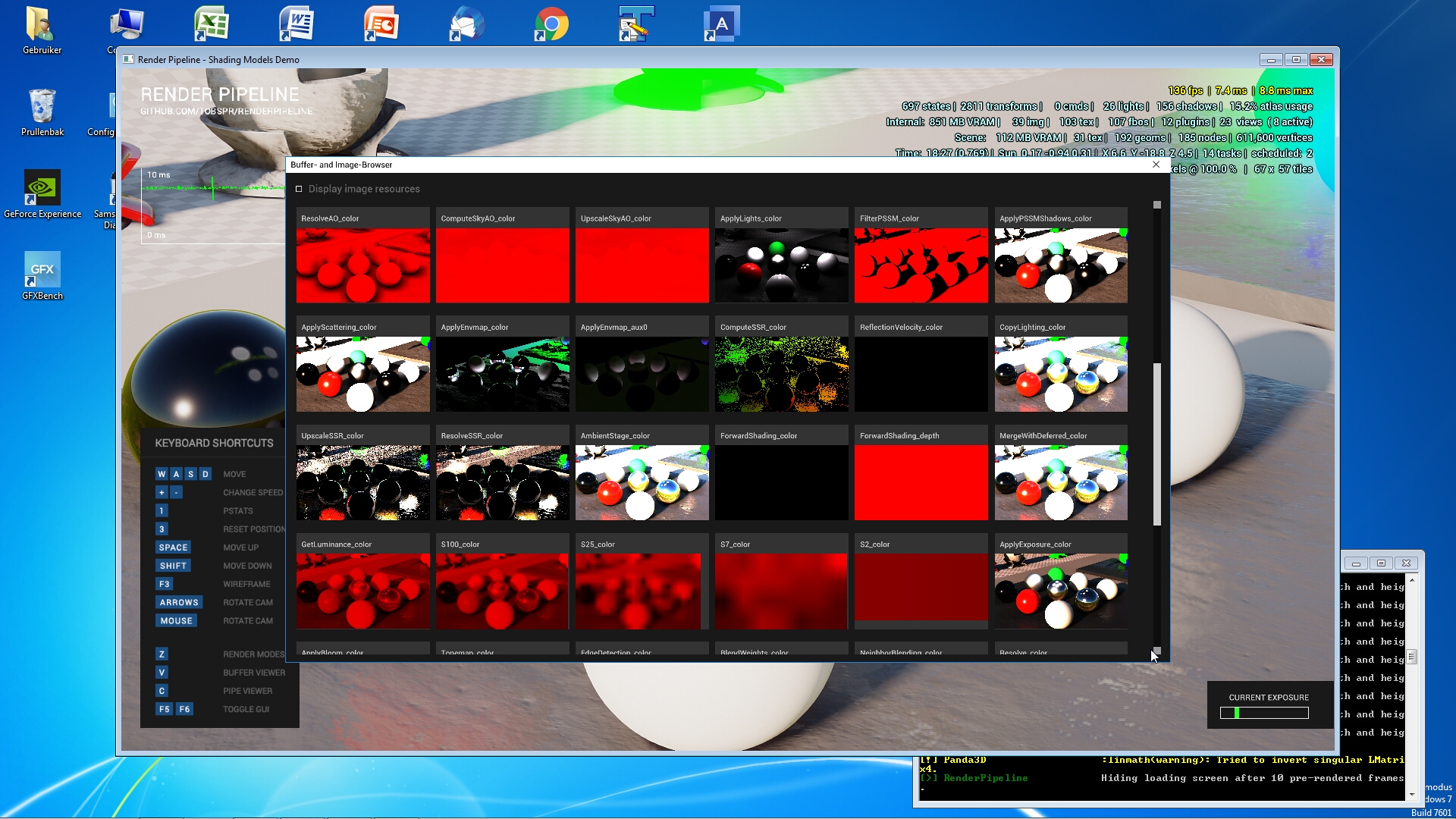
Secondly, you can use the pipeline/buffer viewer that is in the RenderPipeline and compare the individual render pass outputs between the GTX1080 and RTX2080. Then we will have a clue where it is going wrong.
It may also help to try to progressively disable features in the RenderPipeline until the problem no longer occurs, to see if it is a problem with a particular feature.
As for this error…
:pgraphnodes(error): PointLight shadow buffers must have an equal width and height!
Are you getting this with the pipeline samples? That would be really strange, because this error is generated by the built-in shadowing code, which I don’t think the RenderPipeline uses…
I will try apitrace. The :pgraphnodes(error): PointLight shadow buffers must have an equal width and height! errors occur both on the GTX1080 and the RTX2080 in the pipeline samples. I’m doing nothing special however, I just run ppython main.py in the sample folder and haven’t changed anything in the code.
I am using the renderpipeline as downloaded from GitHub-tobspr
I ran apitrace on both GPU’s. When I run the trace file recorded on the GTX1080 with glretrace on the RTX2080 it looks the same as running the sample 07-Shadering-Models directly on the RTX2080.
When I run the trace file recorded on the RTX2080 with glretrace on the GTX1080 it looks normal, same as running the sample directly on the GTX1080.
If I run qapitrace on the trace files nothing happens (enter after qapitrace tracefile.trace returns only a new line in the dos window).
So, basically, replaying the trace file of the RTX2080 on the GTX does not show the problem.
Ah. That confirms it’s a specific issue introduced by that card or by the drivers for that card, since Panda is doing the same thing but getting different results.
It may still be possible for us to work around or avoid a particular buggy part of the driver. We will need to find out where in the pipeline the problem occurs. The first step would be to open the pipeline viewer and find out which render pass is giving different results on your other card.
Could you post your trace file?
When I remove the renderpipeline statements (add ShowBase.init(self) and add a # before the self.render_pipeline statements), the flickering is gone and the sample looks the same on both GPU’s. So regular Panda applications looks the same on the GTX1080 and the RTX2080, as I found in my own application. Would it help if I add screenshots of the bufferviewer of both GPU’s ?
The drivers are the same on both computers. The zipped trace file is too big to be uploaded here…
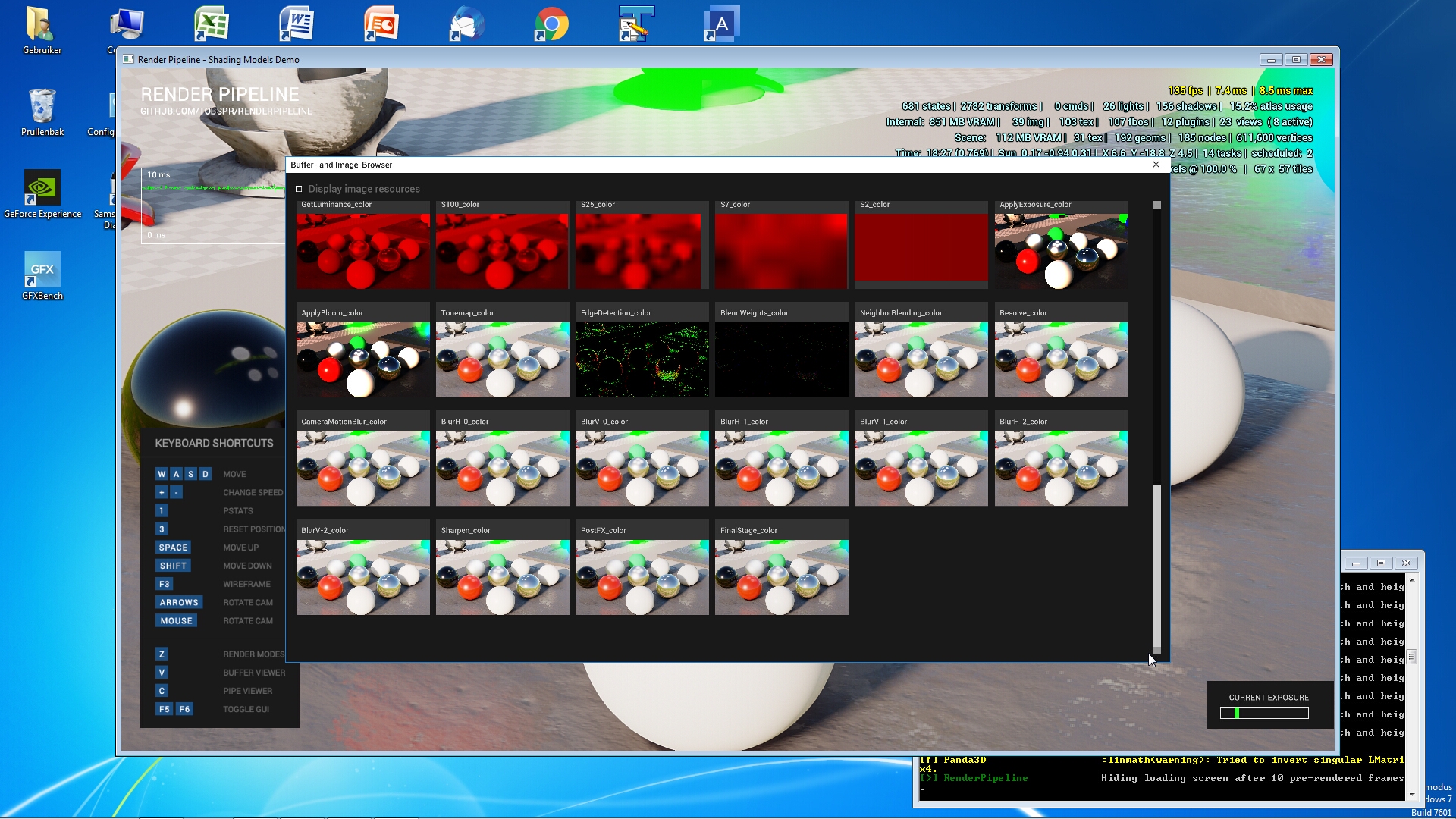
The buffer viewer outputs are here (3 per PGU).
GTX1080:
RTX2080:
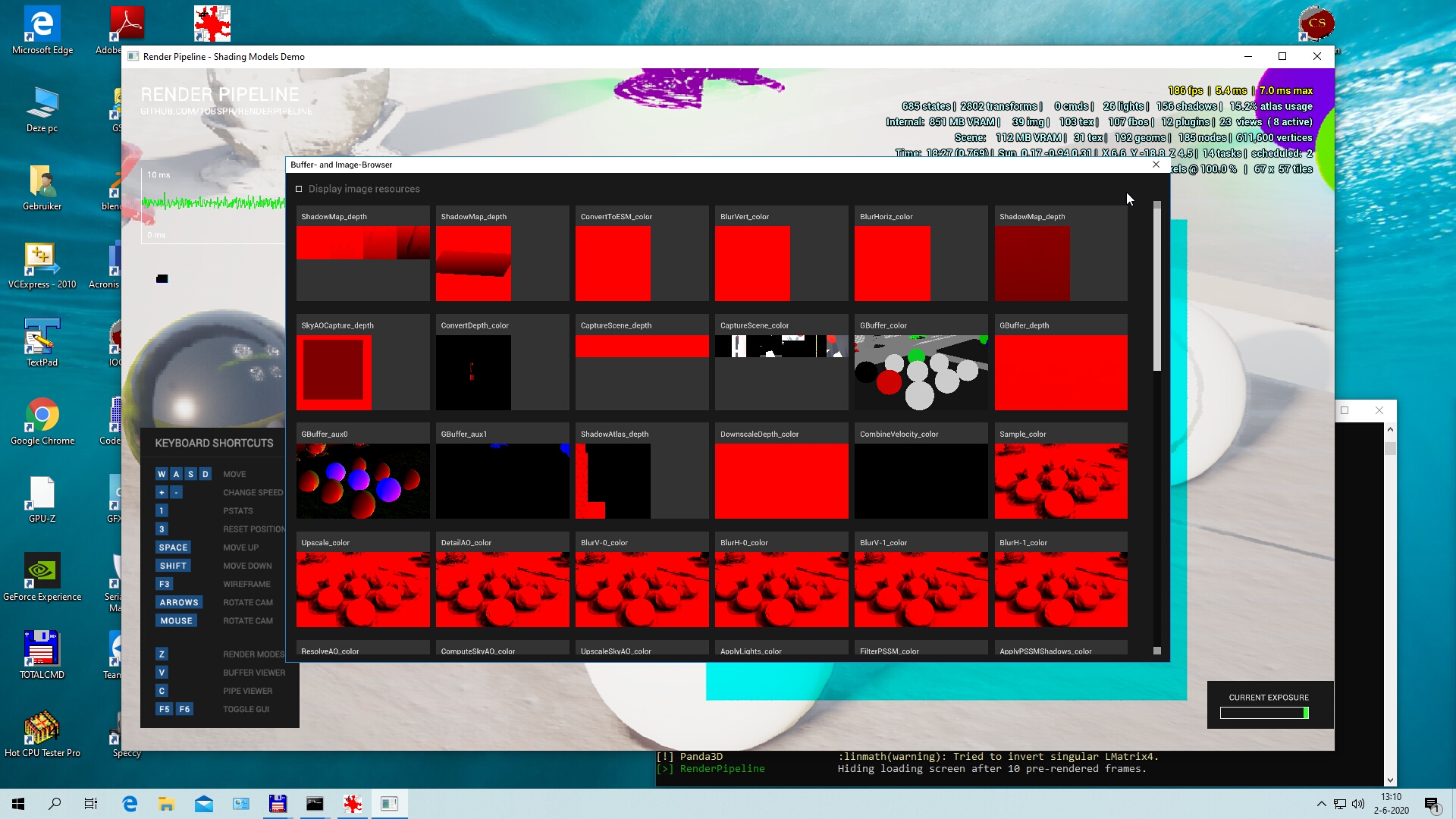
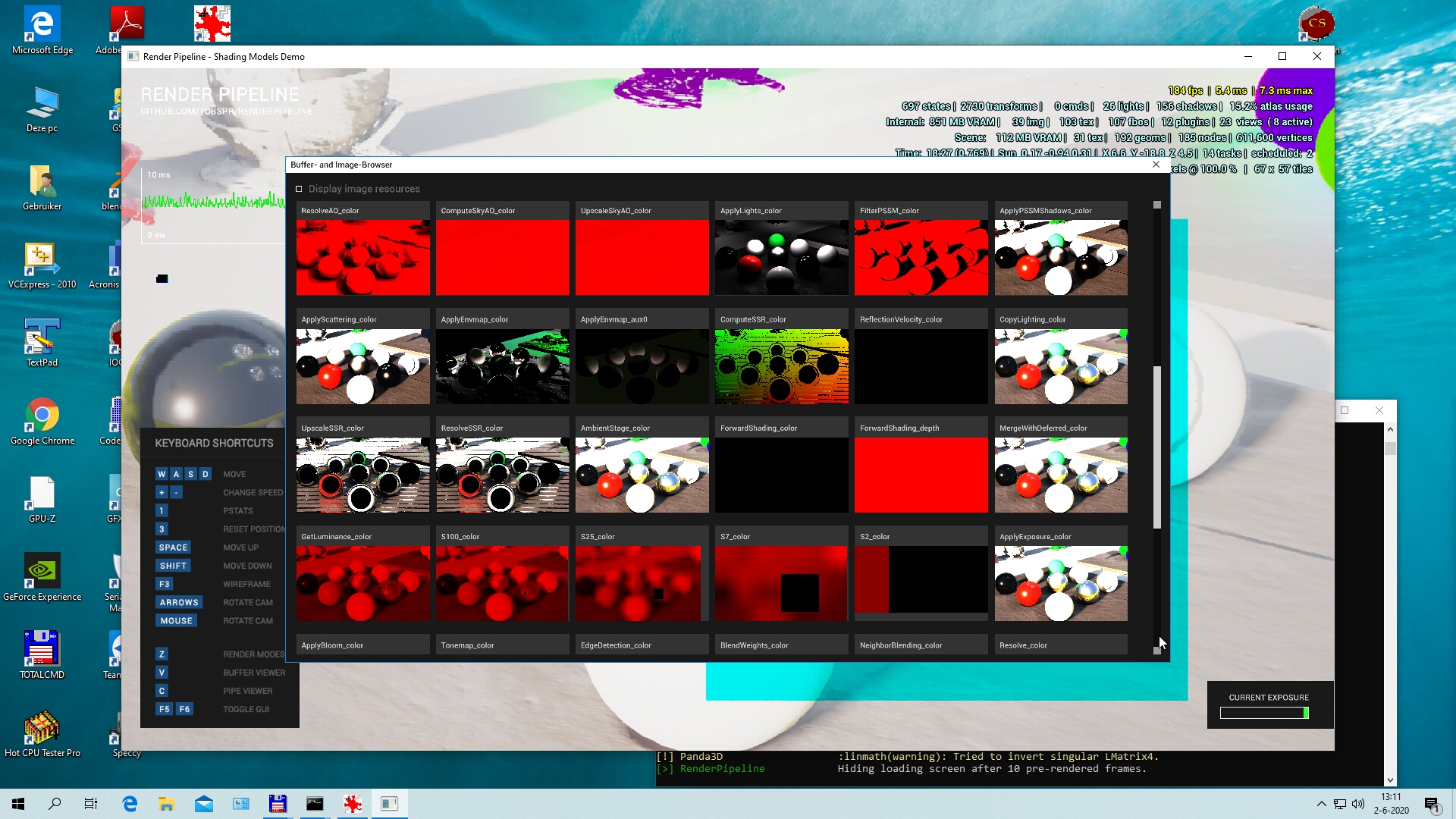
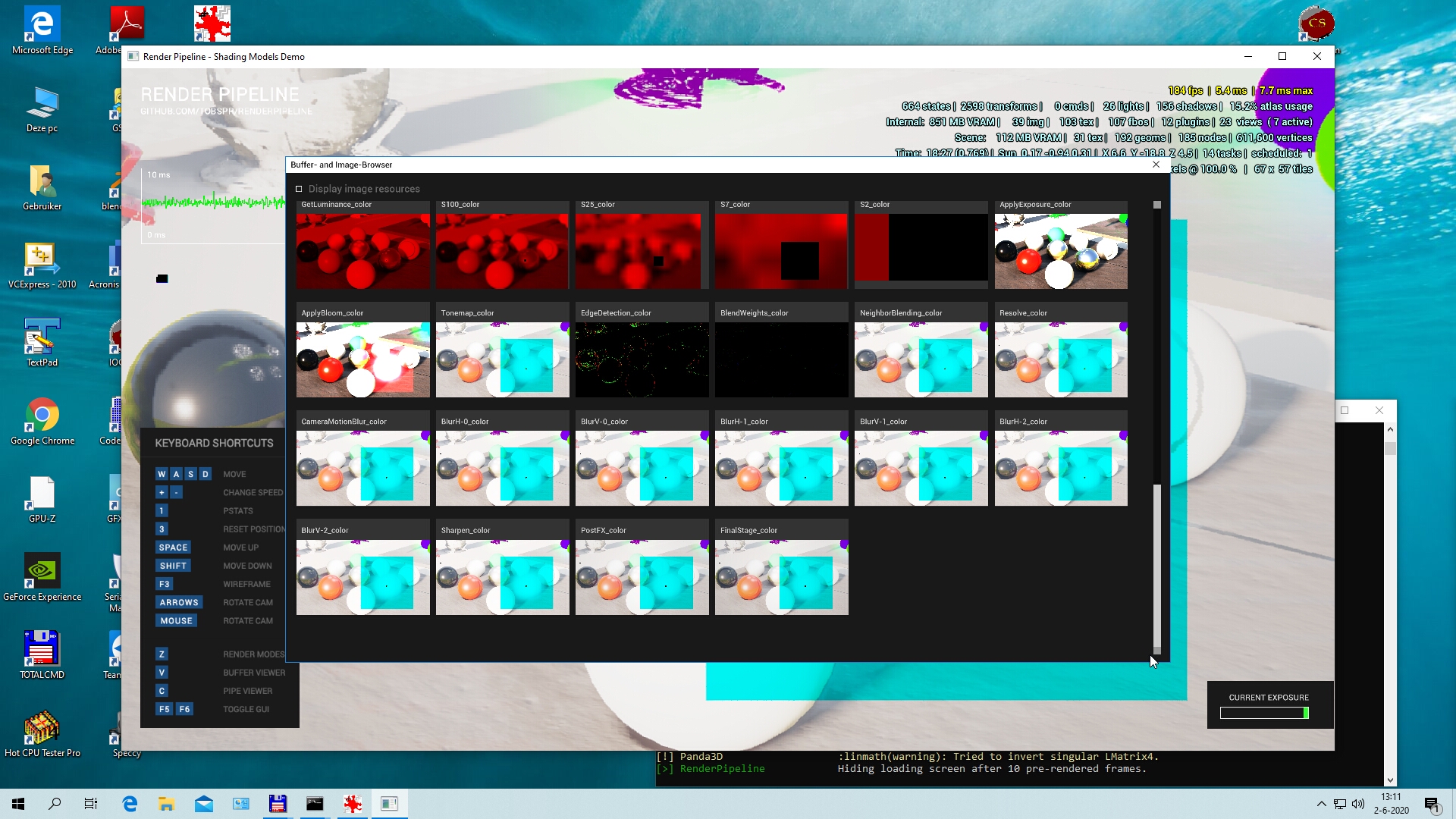
Look’s like color correction plugin is broken, more specifically it’s auto exposure. Some weird square appears after the GetLuminance stage. Can you disable color correction plugin just to check the final render?
Here’s a picture when the color correction plugin is disabled.
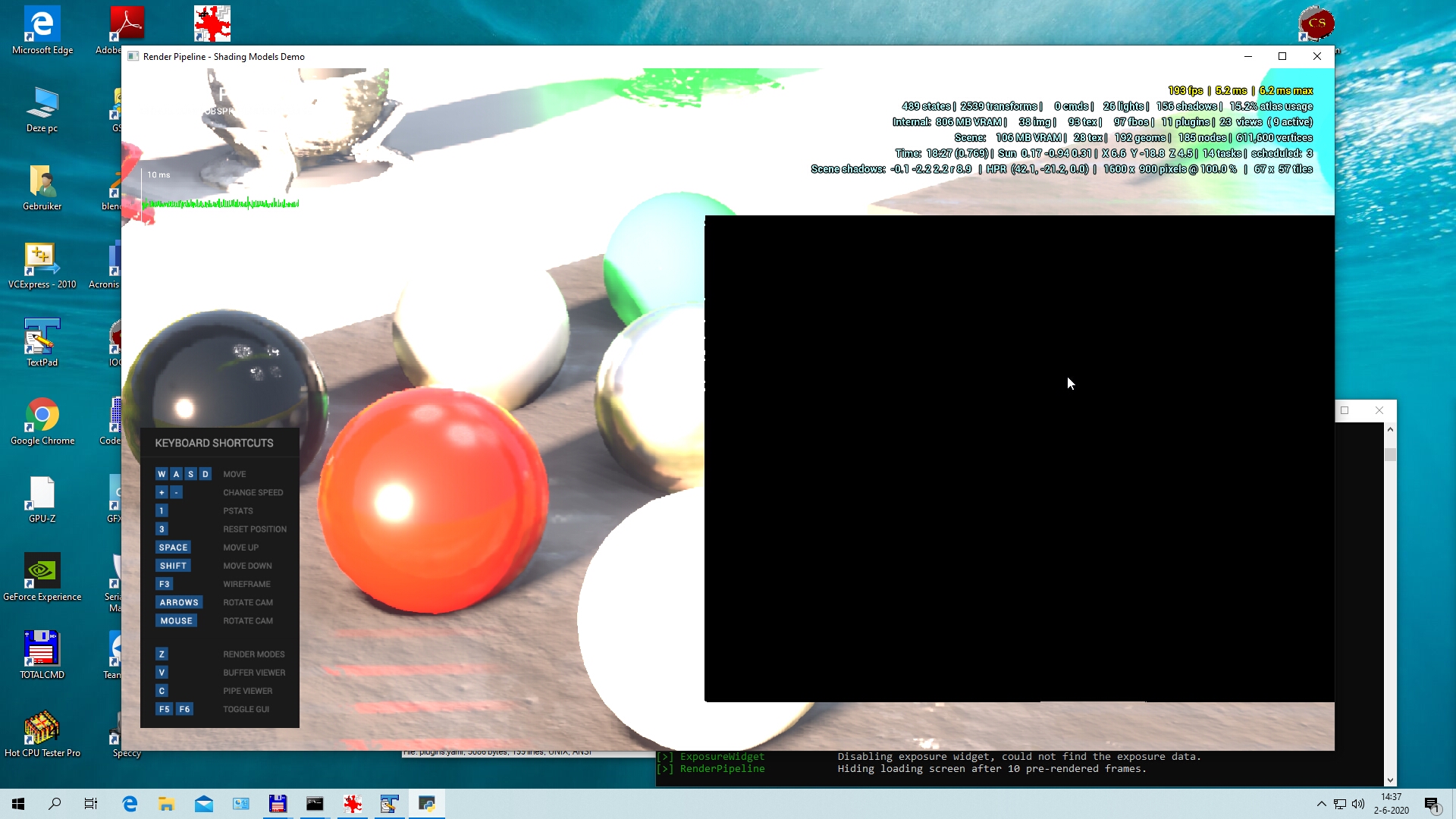
When I disablle all plugins it looks like this, which looks reasonable,
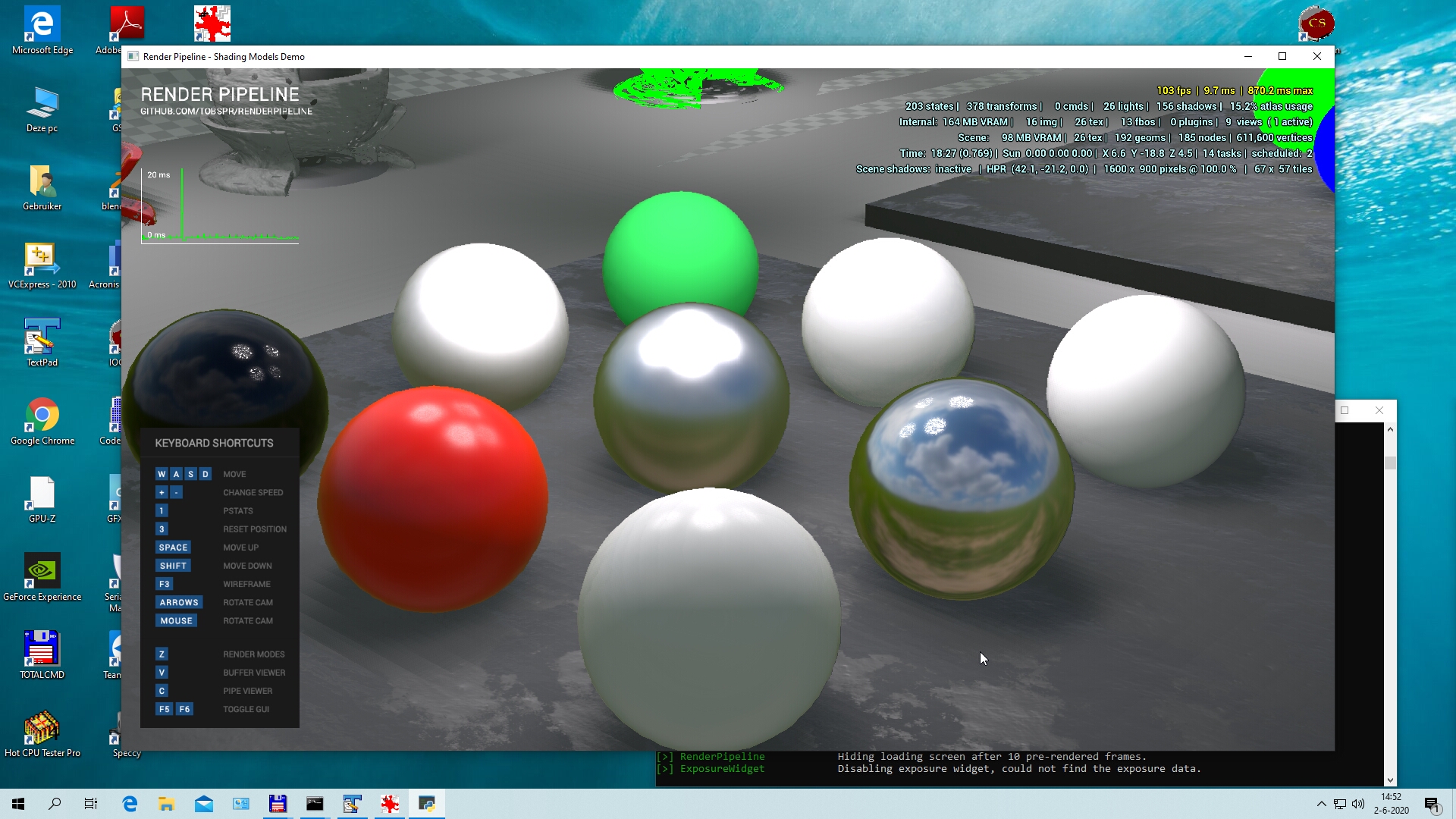
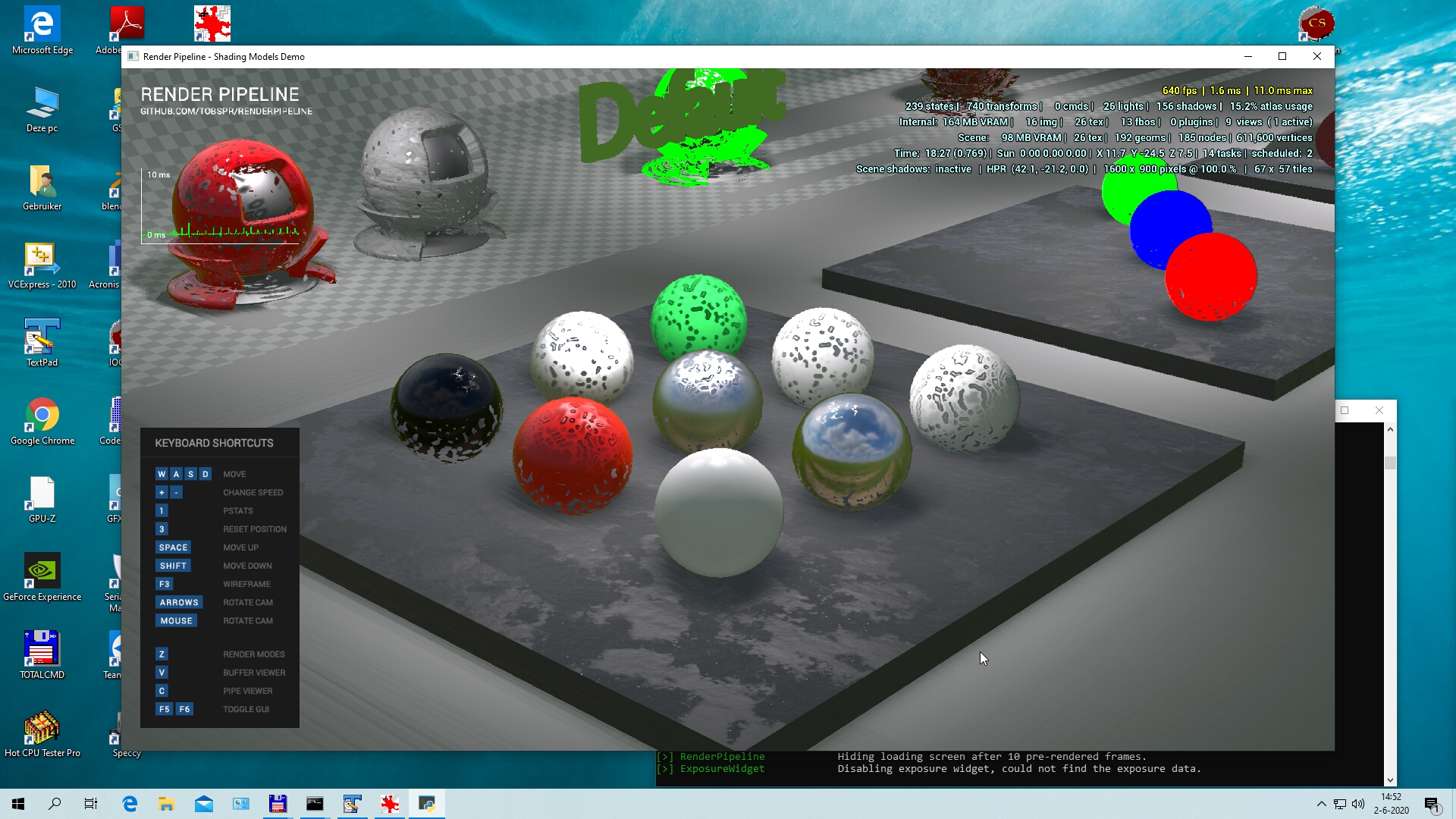
but when I move the camera with WASD keys there’s a horrible flickering and the it looks like this:
Just to make sure, it would be good to rule out that there aren’t any funny driver settings (such as fancy antialiasing overrides or anything that “enhances” games) that might be interfering with the RenderPipeline.
I have fixed this bug. Python, which is included with Panda3D have a broken sys.path, it have lib\site-packages instead of Lib\site-packages. Anaconda Python, which I have used for testing, didn’t have this problem.
No, all driver settings are just regular. Also, whether the application is enhanced or not does not affect the results.
I talked to my computer provider, and I will first swap the RTX2080 for a different one to make sure that its not a problem with this specific PGU.
I now have installed a new RTX2080 super that replaces the previous one. This one gives the exact same problems as indicated before. So that makes it unlikely that the issues are caused by a defect RTX2080.