It’s possible, just more complicated for somebody totally new to Blender armature animations. And, it makes the weighting solution more complex for the converter.
How is it (significantly) more complicated for the developer? It’s just a matter of doing the same thing to two or more objects: Give both/all objects an armature modifier, just as when giving one; weight paint both/all, just as when painting one–and that’s about it.
It only really becomes complicated when objects get in each other’s ways, I would say.
(With YABEE one also has to select all objects, but as blend2bam is a command-line tool I imagine that this doesn’t apply when using the latter.)
Unless later versions of Blender complicate matters in some way…? o_0
As to the converter, surely it just exports the weights as specified in Blender? Or are we talking about some form of automatic weighting? Which I’ll confess that I do have minimal experience with.
Here’s a practical example.
I add a Cylinder primitive with no texture to my wet suit guy model. I bind the Cylinder primitive and the man’s body to the same armature. I animate the armature using location, rotation, scale keys. I make a basic “leaning over” animation.
Upon conversion with this known-good character model, the animation export fails using the command line tool. Without the added Cylinder primitive, the animations export just fine.
You wouldn’t be able to tell there will be a problem, as the animation works as expected in Blender.
… Okay, that’s really weird, and a point against the command-line tool then, I would say. That’s the sort of thing that–based admittedly on my own limited experience–I would expect YABEE to do without any trouble. That I’ve done in YABEE without any trouble, I do believe.
(Well, “without any trouble aside from occasionally forgetting to select this piece or that”, at least! ^^; )
For example, and relevant to this discussion, I’ve had human character-models that have included multiple parts. Looking at one in particular, I see that I have:
- A body
- Hair
- Eyes
- And an axe
All as separate meshes controlled by a single armature. And YABEE has no trouble with this.
… If blend2bam is intended to be the recommended exporter going forward then I would very much want to see such an issue solved in it…
That said, I do note that YABEE has a setting that merges multiple meshes together on export, which may well be helping. Perhaps such a setting in blend2bam might help?
[edit] Although a quick test with a simple two-object case seems to indicate that the setting in question isn’t required for such an export to work.
I’ve definitely made it work before. I think I may even have a dual-mesh armature sample program that I never shared here.
The thing is, with YABEE there is no “making it work”. It pretty much just works. I select the objects to be exported, I tell YABEE to export them, and I get a working, animated model.
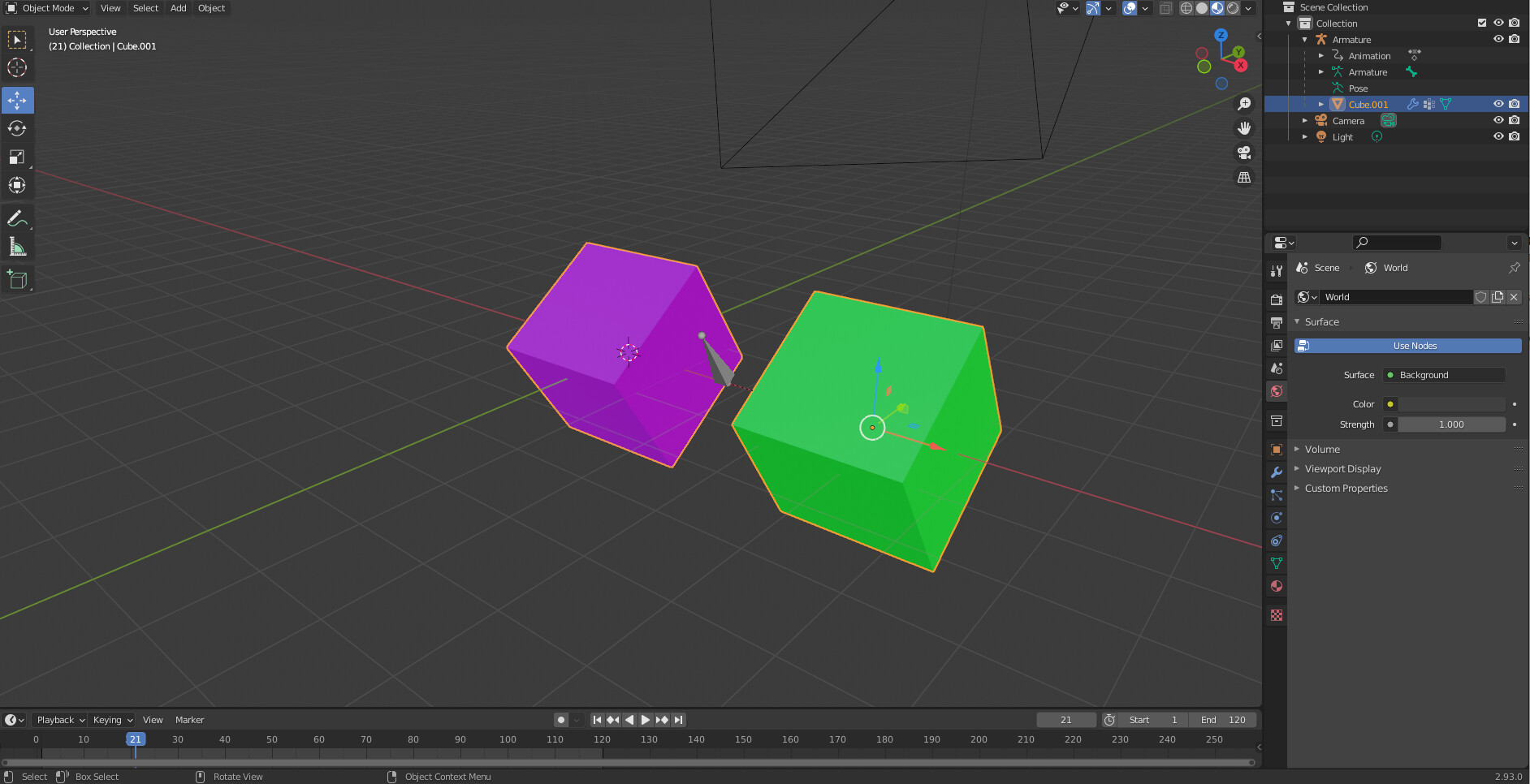
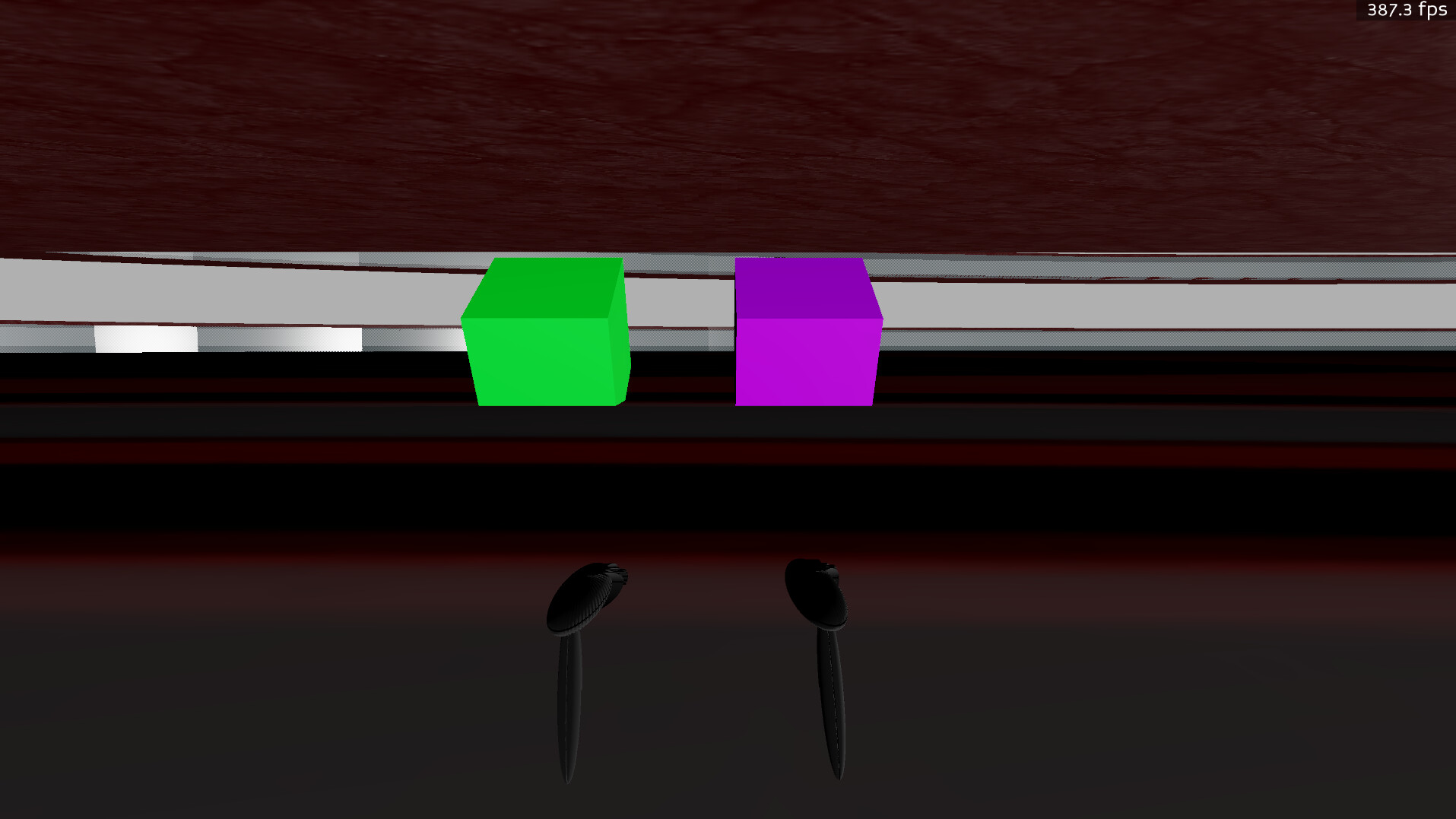
Two “separate” meshes working with a single armature with the PBR pipeline:
In Blender:
In Panda:
.blend and .bam files for the double-mesh armature:
two_cubes_one_arm.zip (103.7 KB)
I wouldn’t overstate the extent to which Blender 2.9 and the PBR pipeline complicate armature actions. It’s more complicated, but I think this is more because Blender is advancing rapidly than it is something wrong with our current tools.
Hmm, interesting.
(And certainly not selling me on upgrading either to the newer versions of Blender or to PBR! “It’s shiny, it requires learning new interfaces, and it’s less functional!” :P)
In all fairness, however, a lot has changed in Blender, I gather. It still seems to me like an issue that perhaps calls for fixing in the tools, and in the PBR pipeline, but if Blender is not yet stable and the PBR pipeline is still a work-in-progress, then I think it might be understandable that it takes some time to achieve.
It’s too shiny on average. Unfortunately it does take extra work to tone down those kinds of effects, particularly when working from industry standard PBR textures. It’s possible though. Just like it’s possible to do multiple-mesh single armatures and so forth.
Blender is definitely not done evolving yet – Blender 3 is right around the corner, with a few somewhat controversial enhancements besides PBR surfaces. That’s the nature of real-time PBR right now I believe, it’s still fairly cutting-edge.
.egg has a ton of features, some of which are not found in .gltf – but work in real-time PBR is really interesting right now, so understandably there’s a higher tolerance for lacking a few deep features for the devs that really want that rendering feature support.
I think mostly the argument for .gltf comes down to supporting commonly available 3rd party model resources natively, or at least in a way that is easily exportable with standard tools.
Hmm, that’s all fair, I do think.
It does indeed reinforce my feeling that I’d rather steer clear of the newer tools for a while yet. I’d rather have something that works well than something with the latest features.
I’ve seldom been technology-driven, so to speak: I’m not all that excited by great new rendering features or the like. I’m more driven by game-dev as an art-form, I suppose; by creating the things that I want to create. Thus a system that introduces new features but makes creation more difficult doesn’t much appeal to me.
Perhaps once the technology has settled more and becomes more usable it’ll be more attractive to me!
The glTF format, at least, seems to have a fair bit of feature-support, from what I gather. And as you say, it allows the use of third-party models without requiring a conversion tool.